
Implementing Earned Wage Access for Blue-Collar Workers: 15 Barriers and Solutions
Implementing Earned Wage Access for Blue-Collar Workers: 15 Barriers and Solutions
Earned Wage Access can be particularly beneficial for workers and frontline laborers—groups often paid periodically but face daily living expenses. However, successful implementation requires more than just a good app. Workers need correct documentation, approved work hours, suitable phones, verified accounts, clear understanding of amounts, and know whom to contact when issues arise.
> In short: For workers to use Earned Wage Access, businesses must design the entire "entry path": correct documentation → know how to use → approved work hours → verified account → receive money safely → understand payslip → get support when issues arise.
> Warning: Do not force workers to register or transact to meet KPIs. Earned Wage Access should be a voluntary, transparent choice; guidance must clearly state this is not additional income and early received amounts will be reflected in payroll reconciliation.
1. Why do blue-collar workers need a separate implementation approach?
Workers in factories, warehouses, retail, services, and construction often have operational characteristics:
work in shifts, may change shifts or work overnight;
change workplaces/customers;
use various phone types, limited data plans;
have little time to read lengthy instructions;
need support outside office hours;
timekeeping and payroll depend on multiple systems;
may fear "wage advance" as a loan or additional deduction;
may not have a supported bank account.
Therefore, app installation rate is not a measure of success. The real indicator is how many people are eligible, understand correctly, voluntarily use, and are accurately reconciled.
2. The implementation journey consists of eight stages
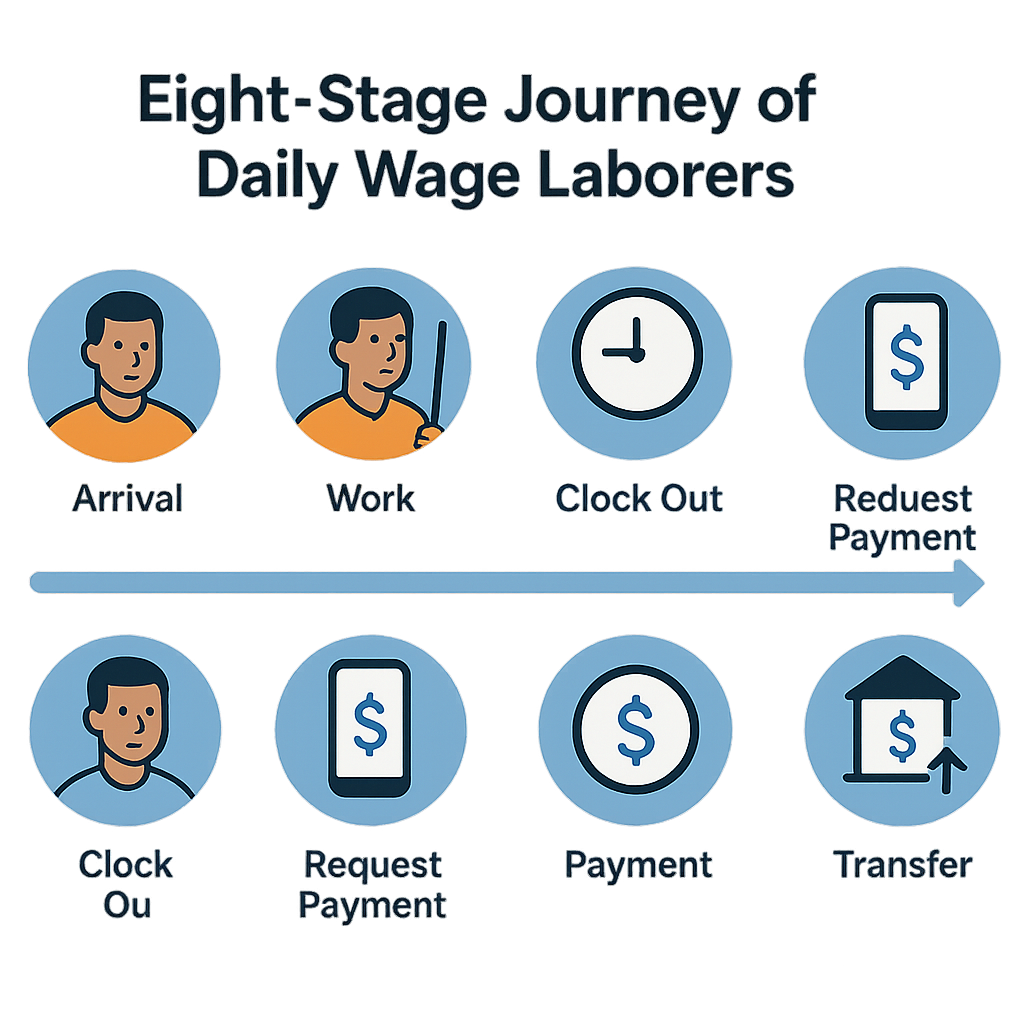
Recognize the program.
Understand benefits, limits, and costs.
Log in/match correct documentation.
Verify ID and device.
Open/verify a personal bank account.
Timekeeping and work approval.
Create request, receive money, and track status.
Read payslip, reconcile, and request support.
Each stage must have a responsible owner, concise message, support channel, and measurement data.
3. Barrier 1 — Workers think Earned Wage Access is a loan
(See also: What is Earned Wage Access? and Is Earned Wage Access a loan?.)
Signs
Questions about interest, credit score, debt collection, or refusal to register due to credit concerns.
Solutions
use examples from approved work hours;
display received amount and remaining balance;
explain how it appears on the payslip;
fully disclose fees according to policy;
avoid absolute legal declarations without approval.
With Earned Wage Access, the correct technical message is that workers only access the portion calculated from work already done and approved; the ongoing process does not charge interest/fees to workers. Official policy must be confirmed by Nhan Kiet.
4. Barrier 2 — Misunderstanding this is not additional salary
Workers may see money received mid-month and expect to receive the full amount at the end of the month as if they hadn't used it.
Solutions
Before confirmation, display:
intended amount;
total received in the period;
projected remaining balance;
reserve;
explanation that this amount will be accounted for in payroll reconciliation.
Content should be concise, avoiding complex accounting terms.
5. Barrier 3 — ERP documentation and personal information mismatch
Incorrect name, ID, employee code, timekeeping code, or customer causes workers to be unable to log in/see work hours.
Solutions
check data before communication day;
create an exception list and handler;
do not match by similar names;
have an SLA for documentation correction;
notify workers of processing status.
ID is the identification key in Earned Wage Access, while timekeeping code is linked to each customer; therefore, corrections must be made at the correct source.
6. Barrier 4 — ID OCR fails or mismatches
(Details: see Why ID verification is needed and handling when OCR mismatches.)
Blurry, glare, missing corners, old documents, or differently formatted names can cause OCR failure.
Solutions
illustrate correct/incorrect images on screen;
check lighting and all four corners;
allow limited retries;
transfer exceptions to authorized verification process;
do not request ID images via personal chat groups.
7. Barrier 5 — Workers do not have a VPBank account
(Details: see How to open and verify a VPBank account to receive Earned Wage Access.)
The standard automatic flow currently locks the primary VPBank account. This is a real barrier if workers use another bank or do not have an account.
Solutions
announce conditions before launch day;
organize support points for account opening;
provide official link/instructions;
estimate verification time;
have an approved exception process for special cases.
Do not borrow a relative's account as it increases the risk of incorrect transfers and disputes.
8. Barrier 6 — Bank account name mismatch
Causes may include incorrect number entry, different documentation name, inactive account, or interrupted lookup service.
Solutions
allow users to recheck account numbers;
display masked name after lookup;
distinguish "name mismatch" from "lookup not completed";
do not allow disbursement without verification;
have a process to change accounts after account lock.
9. Barrier 7 — Weak phone, insufficient storage, or poor network
Solutions
optimize app size and critical screens;
specify minimum operating system;
prepare support WiFi at onboarding points;
provide cache clearing/safe permission instructions;
allow status review after network recovery;
prevent multiple requests from being created.
Support kiosks can help guide, but staff should not enter passwords or OTPs for workers.
10. Barrier 8 — One person changes or uses multiple phones
The one person–one device principle helps reduce proxy timekeeping but creates a need for handling when devices are lost, damaged, or changed.
Solutions
Device change process requires identity verification, old session retrieval, exception approval, logging, and notification. Do not unlock based solely on unverified calls.
11. Barrier 9 — No visible work hours or available balance is zero
(See also: Why is the Earned Wage Access limit zero or not increased? and Timekeeping done but work hours not visible.)
Could be due to unsynchronized work hours, unapproved, incorrect code, unclosed day, fully received eligible portion, or reserve/limit.
Solutions
Interface should display specific reason codes:
no work hours;
work hours pending approval;
incomplete documentation;
unverified account;
customer feature not enabled;
limit reached;
remaining amount below minimum.
General "not eligible" notifications shift all pressure to customer service.
12. Barrier 10 — Work done but supervisor not approved
This is a critical operational bottleneck as Earned Wage Access only accounts for approved work hours.
Solutions
dashboard of pending work by customer/supervisor;
reminders by shift and cut-off;
"number of people with approved work hours" metric;
contingency plan when approver is absent;
log approval time;
do not pressure for quick approval at the expense of checks.
13. Barrier 11 — Night shifts or different work hour formats
Overnight shifts, unique symbols, 12-hour formats, and different date formats can cause incorrect work hour displays.
Solutions
create a dictionary of shifts/symbols for each customer;
test data before go-live;
compare total work hours between source and system;
assign responsibility for mapping;
reapprove after configuration adjustments.
14. Barrier 12 — Workers fear location tracking
Selfie/GPS and geofence can create a feeling of constant monitoring.
Solutions
explain when data is collected;
clarify the purpose of timekeeping;
only collect necessary data;
disclose access rights and retention period;
choose less intrusive methods if needs are met;
provide a channel for inquiries/complaints.
15. Barrier 13 — Unclear pending transaction meaning
Users may click again thinking the transaction failed, leading to concerns about duplicate charges.
Solutions
Notifications must clearly state: request is pending, do not create a new request; display code, time, status, and support channel. When bank status is unclear, the system should fail-closed and investigate.
16. Barrier 14 — Customer service lacks end-to-end information
If customer service only sees screenshots but not work hours, transaction codes, and reconciliation status, responses will be roundabout.
Solutions
Build a playbook by error code; support screen with minimum masked data; route HR–work–bank–payroll; clear SLA and escalation.
17. Barrier 15 — Payslip causes workers to misunderstand deductions
Solutions
Payslip should clearly connect:
total income − obligations − early received amount ± adjustments = remaining amount
Use legally approved terms and provide transaction history for reconciliation.
18. "Shift Ambassador" Model
Each work site/shift should have a trained person to:
explain the program in simple language;
guide ID capture and account opening;
help identify errors but not hold passwords/OTPs;
direct to the correct contact;
record repeated questions;
not force workers to register or transact.
Ambassadors support usage, not perform financial transactions on behalf of workers.
19. Minimum Communication Kit at Factories
(See also: Internal communication kit for launching Earned Wage Access.)
poster "What is Earned Wage Access?";
60–90 second video;
five-step guide with images;
usage condition board;
explanation of approved work hours and reserve;
clear fee/policy board;
handling delayed payments;
how to read payslip;
support hotline/QR;
warnings not to share OTP, not to borrow accounts.
Content should have an easy-to-read Vietnamese version and other languages if the workforce requires.
20. Seven-Day Onboarding Plan
Before Day 1
Clean up documentation, check work hours, eligible list, accounts, and support personnel.
Days 1–2
Introduce at shift start; emphasize voluntary, not additional money; support login.
Days 3–4
Support ID, bank account, and handle exceptions by group.
Day 5
Check pending work hours, test small approved transaction scope.
Day 6
Reconcile money, collect questions, and revise guidance.
Day 7
Evaluate readiness rate, open errors, feedback, and decide on expansion.
21. Metrics to Measure by Funnel
Stage | Metric |
|---|---|
Awareness | Communication rate |
Understanding | Correct core question response rate |
Readiness | Valid documentation + ID + account |
Authorization | Approved work hours and available balance |
Activation | Self-login/view balance |
Usage | Voluntary transaction creation |
Success | Money received and reconciled |
Trust | Correct complaints, satisfaction, and continued use |
Do not use transaction numbers as the sole KPI as it may encourage unnecessary usage.
22. Frequently Asked Questions
Can Earned Wage Access be used without a smartphone?
The current model is app-based, so a suitable device is needed. Nhan Kiet must confirm any alternative channels or support policies before announcing.
Can a relative's bank account be used?
The standard flow requires a VPBank account in the worker's name; using someone else's account is not recommended.
Can staff assist in receiving money?
It is not recommended. Staff can guide, but passwords, OTPs, and transaction decisions must be controlled by the worker.
How long until available balance if work is unapproved?
Depends on approval and synchronization timing per customer. The system only calculates after work reaches the required status; official SLA needs to be announced.
Does not using Earned Wage Access affect employment?
The program must be voluntary and not use participation/non-participation as a basis for adverse actions beyond legal policy.
---
Author: Ngô Nhã Kỳ — Biên tập viên ban biên tập, Nhan Kiet Manpower Supply Co., Ltd.
Earned Wage Access solution consultation for businesses: Hotline 0937.022.655 · Email info@nhankiet.vn · Earned Wage Access for businesses