
Why You Shouldn't Clock In for Others or Use Fake GPS: Risks to Workdays and Earned Wage Access
Why You Shouldn't Clock In for Others or Use Fake GPS: Risks to Workdays and Earned Wage Access
Short Answer: Avoid having others clock in for you, lending your account/phone, or using location spoofing apps. These actions distort data about the actual person, time, and place of work; they may cause records to be held, rejected, or sent for verification, delaying the approval of workdays and Earned Wage Access payments.
If you can't clock in due to weak GPS, a broken phone, forgetting to clock in/out, or infrastructure issues at the site, the correct approach is to save evidence and report to a supervisor/client for exception handling. Do not use a wrong action to "fix" a technical issue.
What Must Electronic Clocking Prove?
(Clocking methods: see 6 Clocking Methods on Earned Wage Access.)
A valid record should help answer:
Who performed the action?
When did the action occur?
Where or at which work location?
Which shift and by what method?
Was the record approved by an authorized person?
Proxy clocking distorts the answer to "who." Fake GPS distorts the answer to "where." Taking dynamic QR photos or sharing accounts can undermine the reliability of the entire evidence chain.
What is Proxy Clocking?
Proxy clocking is when one person performs the action on behalf of another to create the impression that the other person is present or has worked. Common manifestations include:
Handing your phone to a colleague to clock in for you;
Sharing account/password;
Asking someone else to scan a QR code;
Using a selfie that is not of the person performing the action;
One person performing actions consecutively for multiple accounts;
Logging into a colleague's account on the same device;
Clocking in/out for someone not present.
Not all cases of assistance are intentional fraud. For example, a worker unfamiliar with using an app being guided by a supervisor right beside them is different from a supervisor logging in and doing it for them. Policies need to distinguish between usage support and creating inaccurate data.
What is Fake GPS?
Fake GPS involves interfering with or using tools to make a device report a location different from its actual location. It can make an app believe the user is within a geofence or at a workplace even when they are not.
This article does not describe how to install, evade detection, or provide detailed technical signals. Publicizing such information could weaken control and harm workers who are genuinely working.
Why Do Proxy Clocking and Fake GPS Directly Affect Earned Wage Access?

(Background concept: see What is Approved Work?.)
Earned Wage Access only allows receiving a portion of wages from days worked and approved. The logical chain is:
If the initial evidence is unreliable, all subsequent steps are affected. An incorrect record can create an inaccurate provisional amount; if funds have been disbursed and work is later reduced, the system may incur unrecoverable amounts and reconciliation discrepancies.
10 Risks for Workers
1. Work Record Rejected or Held for Verification
When signals from the person, device, location, or time are unusual, the approver may not accept the record. Unapproved work does not create available funds.
2. Earned Wage Access Limit Not Increased
Workers may see they have performed actions, but the funds remain at 0 because the record is not eligible or is under review.
3. Approved Work May Revert to Pending if Modified
The system is designed so that an approved record modified for time/shift will automatically revert to pending and log the change. This is a safeguard against silent alterations.
4. Account or Device May Require Re-verification
A one-person-one-device mechanism helps limit account sharing. When conflicts are detected, workers may need to re-verify ownership of their profiles.
5. Others' Data Exposed
Lending a phone or account can expose work records, pay slips, partially masked ID numbers, account numbers, and transaction history.
6. Others May Perform Money Transactions
A legitimate VPBank account is an important safeguard, but exposure of login details still poses risks of transaction requests, data viewing, or account disruption.
7. Difficult to Prove Rights in Disputes
If a worker admits to sharing an account or using fake data, determining which records accurately reflect reality becomes harder.
8. Affects Colleagues and the Entire Workplace
An incident may cause clients to review multiple records, tighten procedures, or temporarily halt automated flows, affecting others using the system correctly.
9. May Be Reviewed Under Rules and Agreements
Creating inaccurate data may be reviewed by the company under labor rules, clocking regulations, contracts, and applicable laws. The level of handling cannot be inferred from the source code and must ensure proper authority, basis, evidence, and procedure.
10. Loss of Trust in Work Data
The major benefit of Earned Wage Access lies in converting completed work into transparently receivable funds. If data is manipulated, companies find it hard to expand withdrawal rights, and genuine workers lose benefits.
What Control Layers Does the Earned Wage Access System Have?
(Full framework: see Risk Management and Fraud Prevention in EWA.)
At a publicly disclosable level, the system includes:
Fake GPS detection;
One-person-one-device binding;
Control of proxy clocking within the same client;
Selfie combined with location;
Geofence configured by region;
QR changes approximately every 30 seconds;
Bluetooth beacon at the point;
WiFi by registered BSSID;
Time window by shift;
Pre/post clocking edit logs;
Work must be approved by Nhan Kiet or the client.
Detection thresholds, device codes, risk scoring logic, or disabling methods should not be disclosed. Public content should be sufficient for users to understand the purpose, not enough to guide evasion.
Does Anomaly Detection Mean Workers Are Cheating?
No. Anomalous signals are reasons for checking, not the sole evidence to conclude intent to cheat.
Unintentional errors may include:
GPS deviation inside a factory;
Phone change or reset;
Company WiFi just changed the router;
Beacon lost power;
QR expired at the moment of scanning;
Device set to the wrong date/time;
User granted insufficient permissions;
Two users sharing one device due to unreported special circumstances;
Customer or ERP data sync delay.
A fair process should inform workers of which records are suspected, the reasons at an appropriate level, how to provide additional evidence, and who has decision authority.
What to Do Instead of Using Fake GPS When GPS is Wrong or Weak?
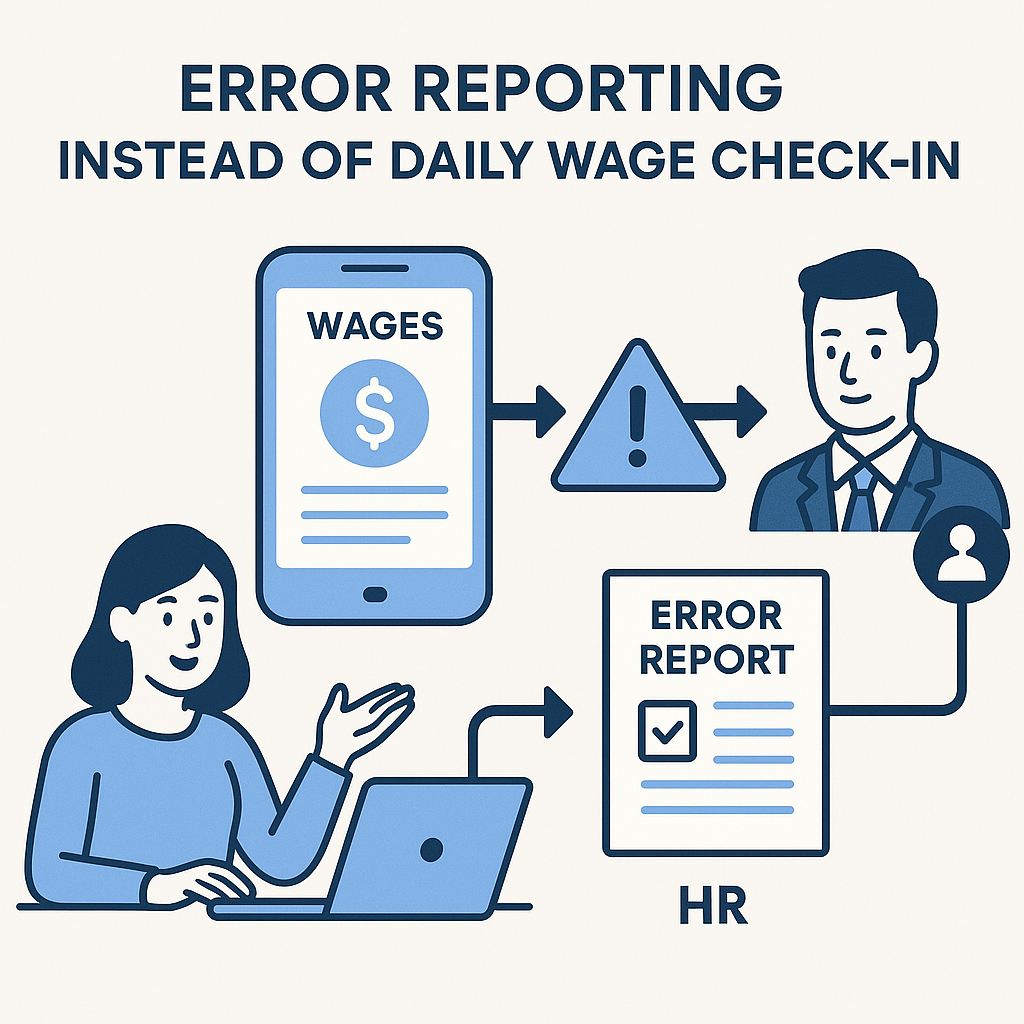
(See also: Clocked In but No Workdays or Limit Increase Seen.)
Stand in the guided clocking area;
Enable precise location;
Temporarily disable battery saver if it limits GPS;
Wait for the device to stabilize location;
Move to a more open area if safe;
Capture a screenshot of the error message;
Check if multiple people have the same error;
Report to a supervisor to check coordinates/radius if errors are widespread;
Use the process to supplement work if still unable to clock in;
Do not install location interference tools.
Geofence has a default radius of 200m in the code but can be configured per client. If the location is correct but the system reports out of bounds, first check configuration and GPS quality.
What to Do If You Forget Your Phone or It Breaks?
Report to a supervisor during the shift;
Record arrival, departure times, and work location;
Use valid evidence as per site regulations;
Request to supplement/adjust work through an authorized person;
Do not borrow a colleague's phone to log in;
Do not create a new account;
If changing devices, perform device verification as per Article 37.
Immediate reporting helps managers verify more easily than reflecting days later.
What to Do If You Forget to Clock In or Out?
Do not create multiple clock in/out attempts to try to compensate. Provide:
Date and shift;
Actual start/end times;
Work location;
Manager who can confirm;
Evidence as per regulations;
Missing record code.
Authorized persons can adjust time/shift; if work is approved, the record will revert to pending and log the change.
How to Refuse a Colleague's Request to Clock In for Them?
You can respond briefly:
> “I can't clock in or log in for you because the system links accounts with devices, and workdays directly affect wages. Please report to a supervisor to supplement work correctly.”
This is not a lack of support. The correct way to support is to help colleagues contact the authorized person, save evidence, and transparently correct records.
If You've Already Shared Your Account or Used Someone Else's Device
Change your password or related credentials;
Log out of unfamiliar sessions if the system supports it;
Do not continue actions to cover traces;
Report to support to check linked devices;
Check clocking history;
Check Earned Wage Access transactions;
Immediately report actions not performed by you;
Re-verify identity/device;
Provide truthful information to the handler;
Do not give OTP or password to anyone.
What Should a Review Process for a Suspected Record Look Like?
A balanced process between fraud prevention and worker protection should include:
The system records anomalous signals;
The record is held in a pending state, not self-concluded;
Authorized person reviews related data;
Worker is notified and can explain;
Cross-check shift schedule, work location, manager, and other evidence;
Decide to approve, reject, or adjust;
Log decision and reason;
Allow request for review per process;
Update impact on limits and payroll;
Use incident data to improve configuration.
Algorithms should not automatically impose disciplinary conclusions without a proper review process.
Distinguishing Fraud Prevention from Excessive Monitoring
Control must be proportional to the purpose of confirming work. Companies should:
Only collect necessary data;
Explain why location, photo, or device data is needed;
Not use clocking data for new purposes not notified;
Limit who can view it;
Have a retention period;
Log access;
Allow workers to report incorrect data;
Evaluate error margins and technical error situations;
Not publicly disclose workers' location data;
Comply with current personal data protection regulations.
Preventing proxy clocking does not mean companies can collect and use all data without limits.
Sample Valid Clocking Error Report
> I was present and working at [location] during the [shift name] shift on [date], but could not clock in due to [GPS/QR/beacon/WiFi/device]. Time of occurrence: …; error message: …; employee ID/clocking code: … . I have not asked anyone to clock in for me and have not created a substitute record. Please have a supervisor verify, supplement, or adjust the work per process.
Attached photos should mask ID numbers, account numbers, and unrelated data.
Frequently Asked Questions
Does Earned Wage Access Detect Fake GPS?
The source code confirms the system controls fake GPS. Detection method details should not be disclosed.
Is It Okay to Ask a Colleague to Clock In for Me Once?
It still distorts who performed the action and may require the record to be verified. Use the process to supplement work.
If I'm Present but GPS Reports Incorrectly, Am I Considered Cheating?
Do not automatically conclude. GPS can be wrong; workers should save errors and provide evidence for authorized review.
Can I Share a Phone with a Family Member?
The system has a one-person-one-device mechanism. Special cases need to be reported and officially handled, not self-log multiple profiles.
Can I Send a QR Photo to a Colleague?
No. QR is designed to change approximately every 30 seconds and is linked to time/location conditions; sharing codes distorts the purpose of confirming presence.
Does a Suspected Record Mean Lost Wages?
Cannot conclude immediately. The record needs . Wages and disciplinary actions must be based on valid data, regulations, and procedures.
Why Is There No Limit If Work Is Not Approved?
Earned Wage Access only calculates from work done and approved to avoid receiving money from unverified data.
If My Device Is Locked, Should I Create a New Account?
No. Re-verify the existing profile; creating a new account may duplicate ID numbers and split data.
Can Supervisors Adjust Work?
Authorized persons can adjust time/shift per system; approved work modified will revert to pending and have pre/post logs.
Can I Provide OTP to Support Unlocking?
No. Legitimate support staff do not need workers' OTP, password, or PIN.
Conclusion
Proxy clocking and fake GPS not only violate the integrity of records; they weaken the data chain from work done to Earned Wage Access payments and final reconciliation. The system has multiple control layers for location, device, QR, WiFi, and approval, but anomalous signals still require fair human review.
When encountering real errors, workers should report early, save evidence, and request work supplementation per process. Nhan Kiet and clients need to create convenient correction paths so workers do not feel compelled to bypass the system. The goal of fraud prevention is to protect genuine workers and accurate wage data, not to assume all technical errors are fraudulent acts.
References
---
Author: Nguyen Minh Tuan — Strategy Team Specialist, Nhan Kiet Manpower Supply Co., Ltd.
Earned Wage Access Solutions for Businesses: Hotline 0937.022.655 · Email info@nhankiet.vn · Earned Wage Access for Businesses