
Earned Wage Access Transaction Limits: Minimum, Maximum per Transaction, and Daily Limits
Short answer: By default configuration, employees can request from 50,000 VND, up to 3,000,000 VND per order, and a total maximum of 5,000,000 VND per person per day.
These three figures are transaction limits, not a guarantee that everyone has 5 million VND available to receive. The actual amount depends on the work done and approved, the customer's daily rate, the amount already received in the period, reserved amounts, the deployment status at the customer, and safety conditions.
> Note: The amounts of 50,000 VND, 3 million VND, and 5 million VND are default values; Nhan Kiet can configure these ceilings for each enterprise. The information displayed on the application at the time of transaction is the basis users need to check.
Summary Table of Limits
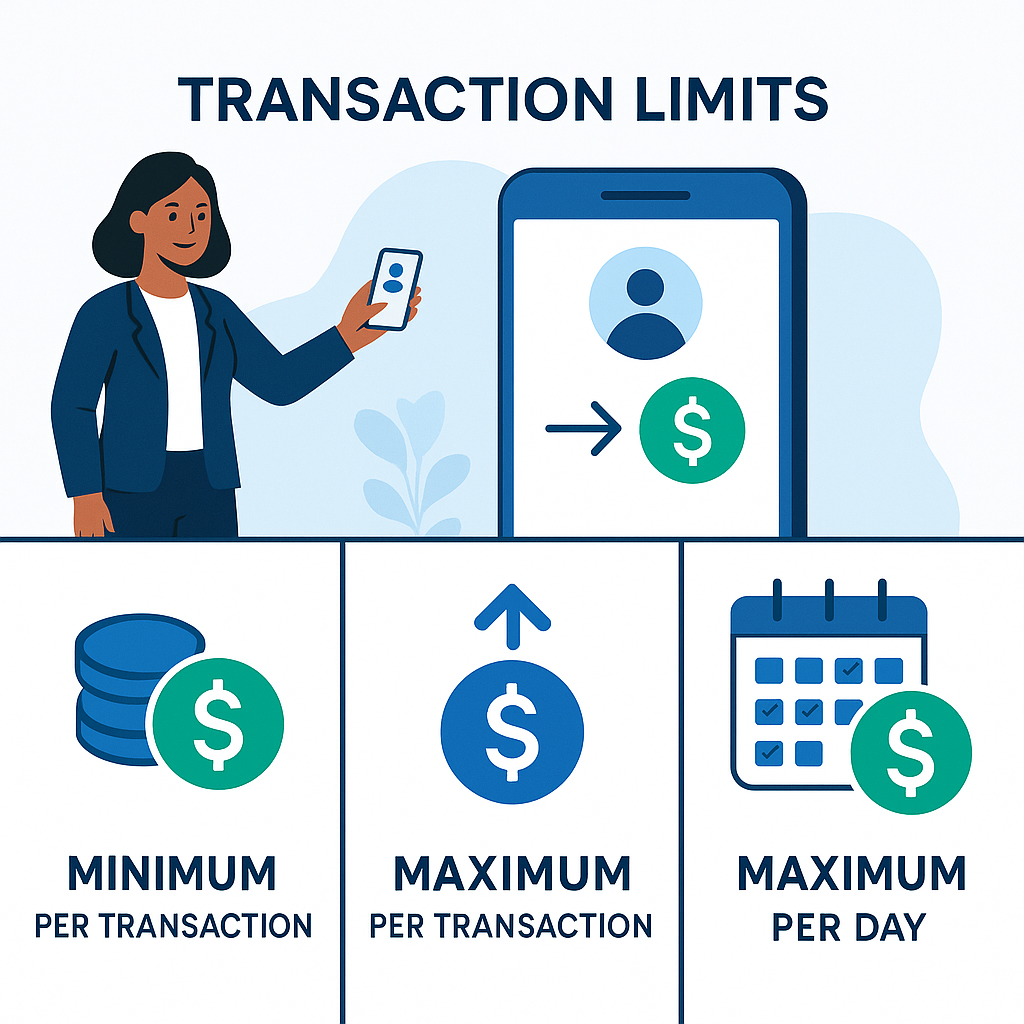
Limit Type | Default Level | Meaning |
|---|---|---|
Minimum per transaction | 50,000 VND | Requests below this level are not eligible to create an order |
Maximum per order | 3,000,000 VND | A transaction cannot exceed this amount |
Maximum per person per day | 5,000,000 VND | The total of valid orders in a day cannot exceed this amount |
Limits are rechecked on the server. Users cannot exceed the ceiling simply by changing the interface, sending repeated requests, or logging in on another device.
Distinguishing Four Commonly Confused Concepts
1. Total Approved Work Value
This is the provisional value from the number of workdays completed, approved, and the customer's daily rate. Not all of this amount is available for early access.
2. Available Funds
According to the current configuration:
> Available Funds = Approved Work × Daily Rate − Amount Received in Period − Reserved Amounts
The result is rounded down to the nearest 1,000 VND; today's unfinalized and future days are excluded from the receivable portion.
3. Limit per Order
This is the largest amount that can be sent in a request. Even if a user has 4 million VND available, a default order can still only be up to 3 million VND.
4. Daily Limit
This is the total amount an employee is allowed to request in a day. It is calculated over multiple orders, not reset after each transaction.
How Are Available Funds and Transaction Limits Different?
(Why there is a reserved amount: see What is the Reserved Amount in Earned Wage Access?.)
Scenario | Available Funds | Remaining Daily Limit | Maximum Amount Enterable in Next Order |
|---|---|---|---|
A | 800,000 VND | 5,000,000 VND | 800,000 VND |
B | 4,000,000 VND | 5,000,000 VND | 3,000,000 VND |
C | 4,000,000 VND | 2,000,000 VND | 2,000,000 VND |
D | 40,000 VND | 5,000,000 VND | Below minimum 50,000 VND |
The numbers in the table are illustrative based on default configuration. The general rule is that the entered amount must simultaneously not exceed:
Available Funds;
Limit per order;
Remaining daily limit;
Other limits currently applied to the employee or customer.
Example 1: Having 2 Million VND Available
An employee has 2 million VND available and has not transacted today:
Can enter an amount from 50,000 VND to 2,000,000 VND;
Does not need to receive the full amount;
The unreceived portion remains available if work data does not change;
The received amount will be deducted when settling wages.
Example 2: Having 4 Million VND Available
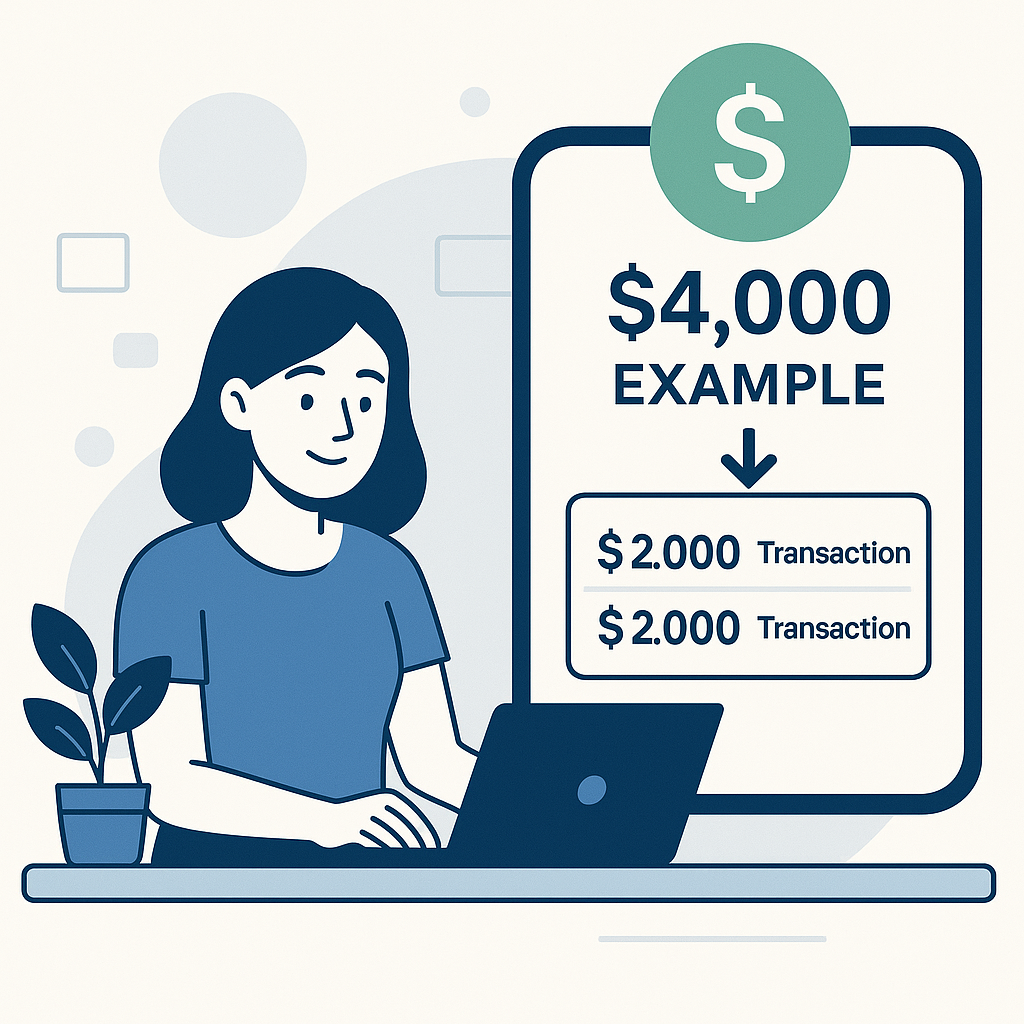
Since the default limit per order is 3 million VND:
The first order can be up to 3 million VND;
After the first order is successful, the remaining available amount may be 1 million VND;
The employee can create a second order of 1 million VND if it does not exceed the daily limit and all conditions remain valid.
It is not advisable to send the second order while the first is processing or the result is unclear. Wait for the final status to avoid duplicate transactions.
Example 3: Already Received 3 Million VND Today
If the available funds are 4 million VND but the employee has already received 3 million today, the remaining daily limit is 2 million VND by default. The next order can only be up to 2 million VND, even though the order limit is 3 million.
Example 4: Available Funds Below 50,000 VND
An employee may see a small amount arising from work, but it is not enough to create a transaction. This is not lost money. When more work is approved or data changes, the available amount may increase to the minimum transaction level.
Why Does the System Need a Minimum Limit per Transaction?
The minimum limit helps avoid creating too many very small transactions, increasing processing, review, and end-of-period reconciliation workload. It also helps employees consider specific needs before proceeding.
The minimum is not a fee. If an employee has 40,000 VND available, the system does not "take" 40,000 VND; this amount is simply not enough to create an order according to the configuration.
Why Is There a Maximum Limit per Order?
The order limit is a layer of risk control:
Reduces impact if the account is used unauthorizedly;
Limits the value needing review when there are unusual connections;
Supports banks and systems in controlling each transaction;
Prevents a single order from taking the entire available amount;
Creates an opportunity to check status before proceeding with the next order.
Why Is There Also a Daily Limit?
If only individual orders were limited, a person could create multiple consecutive orders to exceed control targets. The daily ceiling applies to the total amount, helping limit spending for one person over a period.
The daily ceiling is also not a loan amount from the system. Employees can only receive within their eligible work funds.
Who Sets the Limits?
According to the source code, transaction ceilings are configured by Nhan Kiet in the role of superadmin. The daily rate and reserved amounts are set by Nhan Kiet for each customer.
The source code also has a limit table based on tenure under 6 months, from 6–12 months, and over 1 year. However, whether this is enabled in real operation has not been confirmed. Therefore, tenure-based limits should not be announced until Nhan Kiet confirms the policy.
Are Limits the Same for All Customers?
Do not assume so. The ceilings of 50,000 VND, 3 million VND, and 5 million VND are system default values; Nhan Kiet can configure them. Additionally, even if transaction ceilings are the same, available amounts differ because:
Different approved workdays;
Different daily rates;
Different reserved amounts;
Different amounts received in the period;
Different auto-withdrawal status;
Employees may work at multiple customers.
How Are Limits Calculated When Working for Multiple Customers?
(See details: Working for Multiple Customers, How Is Earned Wage Access Calculated?.)
The system can separate work and funds by multiple workplaces. How the 3 million/order and 5 million/day ceilings are applied (on total or separated by each customer) may vary by application version and each enterprise's configuration.
This is a point Nhan Kiet must confirm before announcing. For safety, users should check the remaining limit displayed by the application and not self-add ceilings from multiple customers.
Do Limits Automatically Reset the Next Day?
It is important to distinguish:
Daily Limit: inherently tied to the day, may be recalculated when a new day starts according to system rules;
Available Funds: do not automatically increase just because a new day starts; they depend on eligible work, amounts received, and reserved amounts;
Amounts Received in the Period: continue to be deducted until the wage period is settled, not erased the next day.
Therefore, someone who received 5 million today may run out of daily limit, but the next day does not automatically have another 5 million if the available work funds are exhausted.
10 Reasons You Cannot Enter the Desired Amount
1. Entering Below 50,000 VND
The amount does not meet the default minimum level.
2. Entering Above 3 Million VND
The amount exceeds the default order limit, even if available funds may be higher.
3. Nearly Reached 5 Million VND Today
The remaining daily limit is lower than the desired amount.
4. Available Funds Lower Than Entered Amount
Transaction limits cannot replace ineligible work funds.
5. A Transaction Is Being Processed
The system may hold the corresponding amount to avoid duplicates when the bank result is unclear.
6. Work Has Been Modified or Returned for Approval
Available funds may decrease when work data changes.
7. Reserved Amounts Increased
New work or reaching configuration thresholds may change reserved amounts.
8. Viewing the Wrong Customer
Those working in multiple places may see work for one customer but create requests for another.
9. Configuration Has Been Adjusted
Superadmin may change ceilings according to operational policy. Old screenshots do not replace current app information.
10. Not Meeting Transaction Conditions
ID, VPBank account ownership, customer status, or device control not completed may lock the receive button even if the number is displayed.
Self-Check Transaction Limits in 3 Minutes
Step 1: View Current Available Funds
Do not use total wages or total work as the amount to be entered.
Step 2: Compare with Three Limits
Check the minimum per transaction, maximum per order, and remaining daily limit.
Step 3: View Today's Transaction History
Only count transactions with appropriate status according to system rules; if there is a pending amount, do not send duplicate orders.
Step 4: Check Reserved Amounts and Work
See if work has been modified, not approved, or moved into the reserved portion.
Step 5: Provide Correct Support Information
Provide the desired amount, available funds, amount received today, most recent transaction code, and error message. Do not send OTP or password.
Sample Request for Transaction Limit Check
> I need support checking the Earned Wage Access transaction limit. Name: …; employee code/timekeeping code: …; customer: …; available funds displayed: …; desired amount: …; total received today: …; most recent transaction and status: …; error message: … . Please let me know if I am hitting the order limit, daily limit, or any other condition.
How Should the System Display Limits?
Instead of just stating “Invalid Amount,” the interface should show:
What can be received now;
Minimum per transaction;
Maximum per order;
Amount received today;
Remaining daily limit;
Pending amounts;
Reason for current maximum being lower than expected;
Quick entry button for valid maximum amount;
Warning about remaining wages at the end of the period.
Example:
> You have 4,000,000 VND available. Each order can be up to 3,000,000 VND. Today you have received 3,500,000 VND, so the maximum you can request now is 1,500,000 VND.
Receiving the Maximum Does Not Mean You Should Receive the Maximum
(Responsible usage principle: see When Should and Shouldn't You Access Wages Early?.)
Limits are technical boundaries, not spending recommendations. Before receiving, employees should consider:
How much needs to be addressed;
How long until payday;
What bills remain at the end of the period;
How much actual wages remain after early access;
Whether there is a less costly option;
Whether early access is becoming a habit each period.
The appropriate principle is to receive only what is necessary, not withdraw everything just because the app allows it.
Frequently Asked Questions
What is the minimum amount for Earned Wage Access?
The default level is 50,000 VND per transaction. Check the actual configuration on the app.
What is the maximum amount per transaction?
The default ceiling is 3,000,000 VND per order.
What is the maximum amount per day?
The default ceiling is 5,000,000 VND per person per day.
Does having a 5 million daily limit mean I can receive 5 million?
No. You must also have enough available funds from approved work after deducting received amounts and reserved amounts.
Can I receive 4 million in one transaction if I have 4 million available?
Not according to the default 3 million/order ceiling. It may require two orders, but only proceed with the next order after the previous one has a final result and the total does not exceed the daily limit.
Can splitting into multiple orders exceed 5 million/day?
No. The daily ceiling applies to the total transactions of the employee, not reset per order.
Why can't I receive 40,000 VND?
Because it is below the default minimum level of 50,000 VND. This is not a fee or lost money.
If I reach the limit today, do I get another 5 million tomorrow?
The daily limit may be recalculated, but available funds do not automatically increase. The received portion continues to be deducted in the period.
Do limits depend on tenure?
The source code has a limit table based on tenure, but it has not been confirmed if it is enabled in real operation. Do not consider this the current policy until NK announces it.
Who can change the limits?
The ceilings are configured by Nhan Kiet in the role of superadmin; regular employees and supervisors cannot increase limits themselves.
Conclusion
Earned Wage Access transaction limits consist of three default layers: a minimum of 50,000 VND per transaction, a maximum of 3 million VND per order, and a maximum of 5 million VND per person per day. They control how transactions are created, do not create available funds, and are not loan limits.
The actual amount employees can receive is the lowest after reconciling available funds, order limits, and remaining daily limits. To avoid misunderstandings, the app should display each number separately, explain the reasons, and show users the remaining wages after early access.
References
---
Author: Ho Tan Dat — Assistant to the Deputy General Director of Strategy, Nhan Kiet Manpower Supply Co., Ltd.
Earned Wage Access solutions for businesses: Hotline 0937.022.655 · Email info@nhankiet.vn · Earned Wage Access for businesses