
Why Does Earned Wage Access Need ID Verification? Data Usage and Handling OCR Mismatches
Why Does Earned Wage Access Need ID Verification? Data Usage and Handling OCR Mismatches
Short Answer: Ngô Nhã Kỳ — Biên tập viên ban biên tập, the ID number is a crucial link between Nhan Kiet records, clients, timesheets, pay slips, and login accounts.
The ID photo is read by OCR technology to match with existing data. If the result does not match, the system may not allow the worker to receive money independently. This is a step to protect identity and cash flow, not a basis for creating a new record.
What Role Does the ID Play in Earned Wage Access?
(Registration conditions: see Who Can Use Earned Wage Access?.)
A human resources system may have many people with the same name, working for the same client, or changing their attendance codes. Relying solely on names can easily lead to data mismatches. The ID helps create a more stable identifier for each worker.
According to the system, the ID is used to support:
Identifying worker records;
Logging in and matching the correct account;
Linking data from Nhan Kiet ERP;
Matching timesheets;
Matching pay slips;
Cross-checking names with bank accounts;
Checking conditions before receiving money;
Investigating discrepancies in work or transactions.
The ID does not automatically create a credit limit. A person with a valid ID still needs to have completed work, been approved, and meet other product conditions.
Why Aren't Name and Phone Number Enough?
Names Can Be Duplicated
In a large workforce, many people may share the same name. Names can also be written with or without accents, in different orders, or missing middle names.
Phone Numbers Can Change
Workers may change SIM cards, lose numbers, or reuse numbers reassigned by carriers. Phone numbers are suitable for contact/authentication but should not be the sole basis for linking all work and wage history.
Attendance Codes Are Only Relevant to Each Client
A person working for multiple clients may have multiple attendance codes. A code at location A is not necessarily used at location B.
Devices Can Also Change
Phones can be lost, damaged, or replaced. A one-person-one-device mechanism helps control access, but devices are not a long-term worker identity.
Therefore, the system needs a central identifier key, combined with records, phone numbers, devices, and bank accounts to create multiple layers of checks.
What is ID OCR?
OCR is a technology that recognizes characters from images. When a worker takes or uploads an ID photo, the system can read fields such as:
ID number;
Full name;
Date of birth;
Other information depending on configuration.
OCR results are matched with existing records. OCR does not “understand” documents like humans; it converts images into character data and may read incorrectly if the image quality is poor.
Is OCR the Same as eKYC?
The two concepts should not be considered the same.
OCR: reads characters and extracts data from document images;
ID Matching: compares OCR information with records;
eKYC: usually a broader electronic identification process, possibly including document checks, facial recognition, liveness detection, data sources, and multiple compliance steps.
The described system only confirms that the ID photo and OCR match as a transaction condition. If Nhan Kiet wants to use the term “eKYC,” they need to fully verify the solution, provider, and legal basis.
How Can the ID Verification Process Be Understood?
flowchart TD
 A["Take/upload ID photo"] --> B["OCR reads information"]
 B --> C["Standardize data"]
 C --> D{"Match Nhan Kiet records?"}
 D -- "Yes" --> E["Complete ID condition"]
 D -- "No" --> F["Display error fields and request handling"]
 F --> G["Correct source or manual verification"]
The actual process on the interface may vary depending on the app version and each company's configuration.
Why Doesn't ID OCR Match?
1. Blurry or Shaky Image
The camera does not focus, causing the ID number or name to be read incorrectly.
Solution: Clean the camera, place the card on a flat surface, hold the device steady, and ensure adequate lighting.
2. Glare on the Image
The card's reflective surface may obscure part of the characters.
Solution: Avoid using direct flash; adjust the angle so the card is well-lit but not reflective.
3. Image Cropped or Missing Edges
OCR may miss the area to read if the card is not fully within the frame.
Solution: Ensure all four corners are within the guide frame, do not shoot too close.
4. Using a Photocopy or Screenshot
Low quality, distortion, glare, and lack of detail may cause the system to not read or consider it abnormal.
Solution: Use valid original documents according to official guidelines.
5. Incorrect ID Number in ERP
The image is correctly OCR'd, but the source data in Nhan Kiet is off by one digit.
Solution: HR checks documents and corrects at the source; do not alter the image or create another record to match incorrect data.
6. Worker Has Switched from Old ID to New ID
Old records may still have previous document numbers while the worker uses a new ID.
Solution: Update the relationship between old and new documents according to Nhan Kiet procedures; avoid creating two personnel records.
7. ID Has Been Reissued
Damaged cards, information changes, or reissuance may cause data inconsistencies across systems.
Solution: Submit a request to update documents and wait for synchronization before re-verifying.
8. Name Has Different Accents or Order
Banks, ERP, and OCR may display names differently. The system should standardize capitalization, spacing, and accents before concluding a mismatch.
Solution: Compare the actual content. If the surname/middle name/main name differs, HR verification is needed; do not ignore.
9. Incorrect Date of Birth or Record Information
A field other than the ID may not match even if the document number is correct.
Solution: The app should specify which field is wrong; the worker should request correction at the source.
10. Logged into the Wrong Record
The user's ID photo cannot match someone else's record.
Solution: Stop actions, log out, and contact support. Do not upload someone else's documents to try.
11. Duplicate Records
A person may accidentally have two records due to document changes, phone number changes, or creating a new account.
Solution: HR merges/handles records according to procedures; do not continue using them in parallel.
12. Temporary OCR Connection or Service Error
Failure to read does not necessarily mean data does not match.
Solution: Distinguish between “unable to process” and “information does not match” notifications; try again later if it is a technical error.
Quick Diagnosis Table
Symptom | Possible Cause | Action |
|---|---|---|
Card not recognized | Blurry, glare, cropped image, or connection error | Retake correctly once |
OCR shows incorrect characters | Image quality or recognition error | Retake; if repeated, contact support |
OCR correct but shows mismatch | ERP record incorrect/outdated or wrong login | Contact HR to check source |
Number matches but name differs | Different presentation or incorrect record | Compare content, do not alter name |
Verified but still cannot receive money | Conditions of work, VPBank, client, or device | See Articles 28–31 |
Changed device and need to re-verify | Device control | Follow procedure in Article 37 |
How to Take ID Photos for Easy OCR Reading
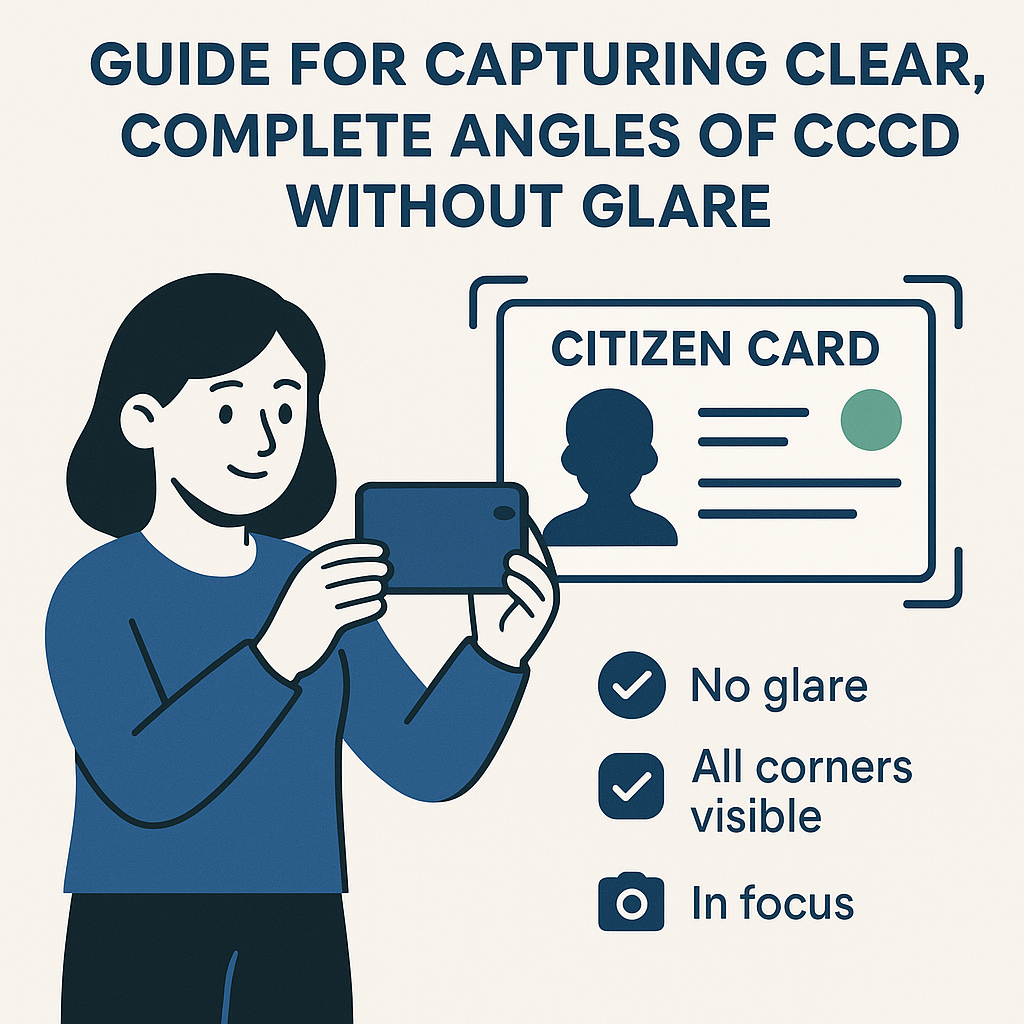
Use a valid, intact ID according to accepted document types;
Clean the camera;
Place the card on a monochrome, contrasting background;
Shoot in well-lit areas but avoid glare;
Include all four corners of the card in the frame;
Do not cover with hands;
Do not use filters or edit photos;
Do not send images through apps that reduce quality before uploading;
Check OCR information before confirming;
Delete unnecessary copies from shared devices.
Where to Correct Incorrect Information?
Principle: correct the source where the error originates.
Incorrect Data | Where to Handle |
|---|---|
Blurry image/OCR reads incorrectly | Retake or support OCR |
Incorrect ID/name in Nhan Kiet records | Nhan Kiet HR/ERP |
Incorrect attendance code | HR/client supervisor |
Incorrect VPBank account holder name | Check with VPBank; see Article 31 |
Logged into wrong record | Earned Wage Access account support |
Two records for the same person | HR and system administration |
Recently reissued documents | Nhan Kiet document update procedure |
Do not change correct data just to match incorrect data. For example, if ERP enters the wrong ID, do not use someone else's photo or create another account to bypass checks.
Why Not Create a New Account When ID Doesn't Match?
Creating a new record can lead to:
Separating workdays from the main record;
Duplicate ID identifiers;
Losing connection with clients;
Attendance codes remaining in the old account;
Pay slips and transactions being split;
VPBank account already verified in another record;
Difficulty settling received funds;
Triggering fraud control.
The correct solution is to verify and correct the existing record.
Does the ID Determine the Amount Received?
(See also: Minimum and Maximum Earned Wage Access Transaction Limits.)
No. The ID confirms the correct person and is a safety condition. The available amount is still calculated from:
> Approved workdays × daily rate − amount received in the period − reserved amount
Therefore:
ID matches but no approved workdays: there may be no money;
Approved workdays but ID does not match: data may be visible but not withdrawable independently;
Both ID and workdays are valid but VPBank not verified: transactions may still be blocked;
All conditions correct but client has not enabled auto-withdrawal: automatic flow cannot be executed.
How Is the ID Used to Check Bank Accounts?
(See also: Why Does Earned Wage Access Require a VPBank Account in the User's Name?.)
The system checks the VPBank account holder's name via VietQR and requires the account to be in the worker's name. The ID helps determine the correct name in the record to compare with the account holder's name.
These are related but separate steps:
ID matches the worker's record;
VPBank account name matches the worker.
Completing step one does not automatically complete step two.
Is ID Data Considered Sensitive Personal Data?
(Security framework: see Data Security and Privacy When Implementing Earned Wage Access.)
ID and document photos are data that require strict protection. Nhan Kiet must determine specific obligations under the Personal Data Protection Law and applicable guidance documents at the time of implementation, with appropriate legal advice.
Operationally, businesses should:
Clearly notify the purpose of processing;
Collect only necessary data fields;
Limit access to authorized personnel;
Encrypt during transmission and storage as appropriate;
Log data viewing/editing/downloading;
Have retention periods and deletion procedures;
Provide channels for workers to inquire, correct, and exercise rights;
Manage OCR providers or related processors;
Have data incident response procedures.
User-facing articles should not disclose infrastructure details, service addresses, or ways to bypass controls.
Where Should Workers Send ID Photos?
Only send through:
Official app functions;
Forms or support channels announced by Nhan Kiet;
Authorized personnel according to verification procedures.
Do not send through:
Large group chats;
Unidentified personal accounts;
Strange links received via messages;
Incorrect domain websites;
Requests accompanied by OTP or passwords;
Remote phone control apps.
If required to send photos for support, clarify the purpose, recipient, and secure channel. Do not add account numbers, OTP, or passwords to ID photos.
Handling Process When OCR Does Not Match
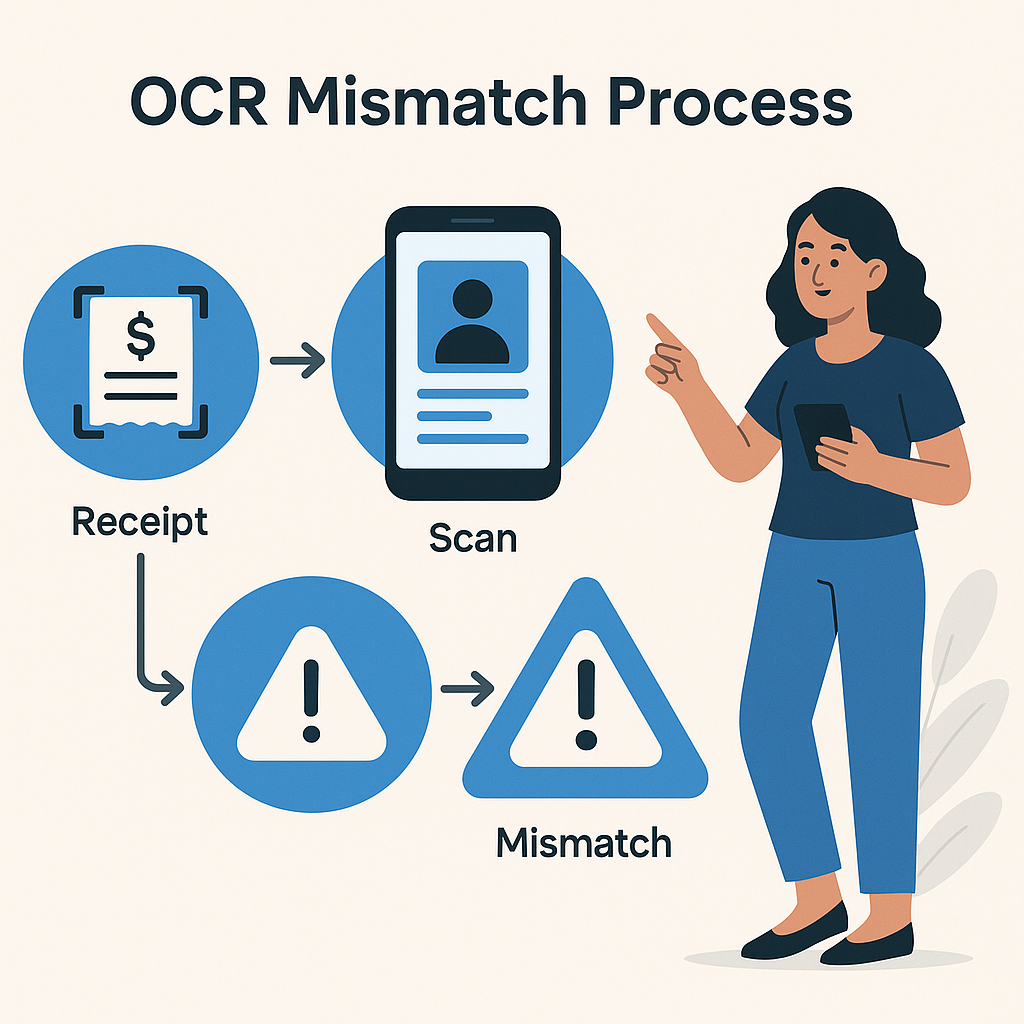
Step 1: Read the Notification Correctly
Distinguish between errors in reading the image and data read but not matching the record.
Step 2: Check the Image
If the image is blurry, glare, or cropped, retake it correctly once. Do not repeatedly send many similar images.
Step 3: Compare OCR Results
Check the ID number, name, and fields displayed by the app. Clearly note which field is incorrect.
Step 4: Compare with Nhan Kiet Records
If OCR is correct but the record is wrong, send HR to correct the source data and wait for synchronization.
Step 5: Check for Duplicate Records/Old Documents
Specify if previously used an old ID or different ID, recently reissued, or created another account.
Step 6: Request Manual Verification
If both the image and record are correct but the system still reports an error, send the worker ID, time, error image, and app version through official channels.
Sample ID Support Request
> I need support verifying my ID on Earned Wage Access. Name: …; employee code/attendance code: …; client: …; last four digits of ID: …; old document type if any: …; error notification: …; OCR field reading incorrectly/not matching: …; time of action: … . I confirm I am using my own documents and have not created a new record. Please have the responsible department check the source data and guide safe verification.
Only send the full ID number and photo through secure channels if officially requested. Do not provide OTP or passwords.
What Should the System Display to Reduce Errors?
Capture instructions within the camera frame;
Warnings for glare, blur, and missing corners before uploading;
Allow users to review OCR results;
Specify which field does not match;
Distinguish technical errors from data errors;
Do not display the full ID number after verification;
Indicate the data source needing correction;
Button to create a ticket with pre-filled error code;
Status of update requests;
Verification log with limited access rights.
Sample notification:
> The ID number on the image does not match Nhan Kiet records. You do not need to create a new account. Please check the documents; if the image is read correctly, select “Request Record Update” for HR verification.
Frequently Asked Questions
Why Does Earned Wage Access Need an ID Photo?
To match the user with labor records, workdays, pay slips, and conditions for receiving money.
Does a Valid ID Mean Immediate Money Access?
No. Users also need approved workdays, available funds, a VPBank account in their name, a valid device, and the client must have enabled the feature.
Should I Manually Correct an OCR Error?
If the app allows review and the process permits confirmation, follow the instructions. If the system reports a mismatch, retake or contact support; do not arbitrarily alter source data.
Can I Use a Family Member's ID?
No. Documents must belong to the worker with the record and workdays.
Do I Need to Update When Switching from Old ID to New ID?
Yes. HR needs to link the new document with the existing record, avoiding creating two accounts.
What If the ID Expires or Is Lost?
Follow document issuance/update procedures and notify Nhan Kiet. Policies on accepting documents during the waiting period need to be announced by NK.
Do I Need to Retake ID Photos When Changing Phones?
It may depend on control levels and system versions. Follow device verification procedures, do not send photos through unofficial channels.
Does Support Staff Need OTP to Check ID?
No. Never provide OTP, passwords, or PINs.
Are ID Photos Used for Loans?
By nature, Earned Wage Access is receiving a portion of earned wages, not a loan. Nhan Kiet still needs to clearly disclose the purpose of data processing and privacy policy.
Do I Have the Right to Request Correction of Incorrect Information?
Workers should have channels to request data checks and updates. Specific rights and procedures need to be announced by Nhan Kiet according to current laws and policies.
Conclusion
The ID is a central identity link in Earned Wage Access, helping connect the correct person with Nhan Kiet records, clients, attendance codes, pay slips, and payment accounts. OCR helps read information from images for matching, but may err due to image quality or unsynchronized source data.
When OCR does not match, distinguish between image errors and record errors, correct at the right source, and maintain the existing record. Do not use someone else's ID, do not create a new account, and do not send documents through public channels. Nhan Kiet needs to be transparent about data usage, protect data, and provide accessible correction procedures for workers.
References
---
Author: Ngô Nhã Kỳ — Biên tập viên ban biên tập, Nhan Kiet Manpower Supply Co., Ltd.
Earned Wage Access Solutions for Businesses: Hotline 0937.022.655 · Email info@nhankiet.vn · Earned Wage Access for Businesses