
How Much is Left at the End of the Month After Using Earned Wage Access? Calculating Limits and Payroll Settlement
How Much is Left at the End of the Month After Using Earned Wage Access? Calculating Limits and Payroll Settlement
When using Earned Wage Access, employees do not lose an additional amount equal to what they have received. This is a portion of wages already earned and approved, paid early before the payroll period. At the time of settlement, the amount received is reconciled and deducted from the amount payable to avoid double payment. The salary transferred at the end of the period is the actual remaining salary after calculating finalized workdays, income, insurance, taxes, legitimate adjustments, and deducting the amount already paid early.
> Note: The configuration figures mentioned in the article are default values and may be adjusted by Nhan Kiet according to each enterprise. The official policy displayed on the application and the agreement at the time of transaction is the basis users need to check.
Quick Answer
Earned Wage Access only calculates from workdays already completed and approved; today’s unfinalized and future days cannot be used to create receivable amounts.
The displayed amount is not necessarily equal to the total wages incurred because the system also deducts the amount received during the period and the reserved amount.
Employees choose whether to receive or not; each time they receive, they must confirm it is an advance based on estimated workdays and will be reconciled into the salary.
The amount received is the portion of the salary paid in advance, not an additional deduction outside the salary.
The remaining salary at the end of the period is only accurately determined after the work and payroll are finalized.
1. Distinguishing Four Numbers in the Earned Wage Access Journey
(Background concept: see What is Approved Work?.)
Employees often see many numbers and easily consider them as one. In reality, they need to distinguish:
Concept | Meaning |
|---|---|
Estimated incurred wages | Value calculated from approved work and daily rate per customer |
Receivable amount | The remaining available portion after deducting the amount received and reserved amount, while applying limits |
Amount received | Total successful transactions during the period |
Remaining salary at the end of the period | Payroll result after finalizing all income, obligations, and deducting the amount paid early |
Incurred Wages Are Not the Final Salary
During the month, workdays and income can still change. Overtime, allowances, bonuses, leave, insurance, taxes, or work adjustments may only be determined when payroll is finalized.
Receivable Amount Is Not the Entire Salary
Earned Wage Access retains a portion to reduce risks when workdays or items requiring reconciliation change. Therefore, employees may have approved work but can only receive a portion early.
Amount Received Is Not an Additional Loan
It is money transferred early from eligible workdays. At the payroll period, the system records this amount to avoid paying it again.
2. How Does Earned Wage Access Calculate the Receivable Amount?

According to the verified system mechanism, the general formula is:
Receivable amount = Approved work x Daily rate - Received during the period - Reserved amount
The result is rounded down to the nearest 1,000 VND and continues to be subject to configured transaction limits.
Approved Work
Only workdays in an approved status generate a receivable amount. Work can be approved by NK supervisors or customers; whoever approves validly first completes the confirmation step according to the current flow.
If approved work is edited for hours or shifts, the system automatically returns that work to pending approval status. This mechanism prevents silent changes after limits have been calculated.
Daily Rate
The rate is configured by NK for each customer. An employee working for multiple customers may have work, rates, and money calculated separately at each workplace.
The rate used to calculate the early receivable amount is operational data according to configuration, not to be understood as the entire net salary of a day after all additions/deductions.
Amount Received During the Period
Each successful transaction deducts the amount received from the remaining available portion. Workdays used to secure the advance are also recorded to avoid incorrect accumulation into the next period.
Reserved Amount
Depending on each customer's configuration, the system may:
retain the most recent workdays; and/or
retain a 10.5% reserve rate when the advance meets configured conditions/thresholds.
The reserved amount still belongs to the employee's wages; it is not a fee. This portion is processed in payroll settlement according to actual data.
3. Simple Example: Receiving Early, What's Left at the End of the Period?
Example 1: Illustrating Only the Wage Portion
Assume:
rate used for calculation: 300,000 VND/day;
8 approved workdays;
configuration retains the 2 most recent workdays;
the employee has not received any amount during the period.
The work portion used for initial availability calculation is 6 days:
6 x 300,000 = 1,800,000 VND
If the employee receives 1,000,000 VND, the application still displays availability according to the data at that time as:
1,800,000 - 1,000,000 = 800,000 VND
At the end of the period, assuming all 8 days are still finalized and not considering other payroll components, the work value is:
8 x 300,000 = 2,400,000 VND
The employee has received 1,000,000 VND in advance, so the remaining work portion in the example is:
2,400,000 - 1,000,000 = 1,400,000 VND
Thus, the reserved amount is not lost. It is just not allowed to be received early and is calculated during settlement.
> This is an illustrative example, not accounting for insurance, taxes, allowances, overtime, bonuses, and other adjustments. Do not use this example to calculate actual payroll.
Example 2: Received Multiple Times in the Same Period
Assume the initial available amount is 2,500,000 VND. The employee receives:
first time: 500,000 VND;
second time: 700,000 VND;
third time: 300,000 VND.
The total received is 1,500,000 VND. If work data and reserved amounts do not change, the remaining available portion is:
2,500,000 - 1,500,000 = 1,000,000 VND
At the payroll period, payroll reconciles the total 1,500,000 VND already paid early, not three separate loans with interest.
Example 3: Work Adjusted After Receiving
Assume a previously approved shift is later found by the customer to have incorrect hours and is corrected. The work automatically reverts to pending approval, potentially changing the eligible amount.
If the employee has not withdrawn, the limit is recalculated. If money has been disbursed, the system must record the discrepancy for NK to handle and reconcile; transaction traces must not be erased. The system currently has a log for cases not yet recovered when work decreases or the employee leaves.
4. Why Does Receiving 1 Million VND Reduce the End-of-Month Amount by 1 Million VND?
Because that 1 million VND has already been paid in advance.
Imagine the total salary as a cake. Earned Wage Access allows employees to receive a slice of the cake after work has been approved. On payday, the company pays the remaining portion; it cannot pay the entire cake again because part of it has already been transferred.
Key distinctions:
Reduction in end-of-period transfer: correct, because a portion has been received early.
Reduction in total salary benefits: not due to early receipt if the system only reconciles the actual amount disbursed and there are no fees.
Actual total salary changes: may occur due to finalized work, allowances, overtime, insurance, taxes, or other legitimate adjustments, not all attributable to Earned Wage Access.
5. Formula for Remaining Salary at the End of the Period
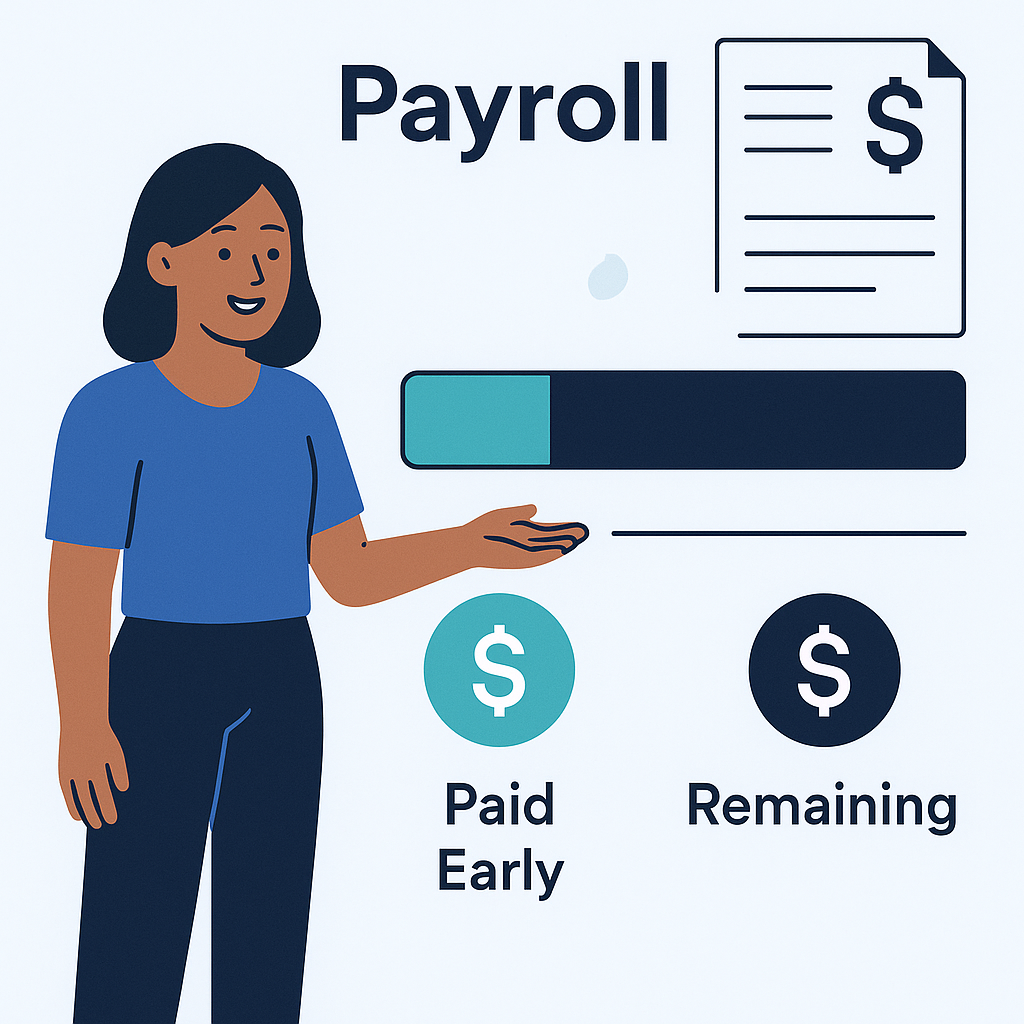
Since actual payroll has many components, a safe understanding is:
Remaining amount at the end of the period = Actual salary paid during the period - Earned Wage Access amount successfully disbursed
Where “actual salary paid during the period” is only available after the company completes payroll, including legitimate additions/deductions according to applicable policies and regulations.
A more detailed presentation:
Remaining amount = Income from finalized work + Eligible allowances, overtime, bonuses - Insurance, taxes, and legitimate deductions - Earned Wage Access amount received
This is a conceptual formula. The names of items, calculation order, and basis must follow each individual's actual payslip.
No Double Deduction
The amount received through Earned Wage Access is reconciled only once. The system uses transaction data and covered workdays to avoid carrying that amount into the next period. If employees suspect double deduction, they should check:
successful transaction history;
total actual amount received in the account;
reconciliation/advance line on the payslip;
payroll period and corresponding workplace;
refund or unclear transaction status.
6. Is the Reserved Amount a Fee?
No. The reserved amount is money not yet open for early receipt to create a safety margin when workdays and payroll are not finalized.
For example, the system retains the two most recent workdays because these days are likely pending verification. When the payroll period is finalized, if the workdays are valid, the corresponding value remains in the employee's salary.
Why Is a Reserve Needed?
approved work may be edited;
employees may leave or end assignments mid-period;
payroll has other items requiring reconciliation;
multiple workplaces have different workday finalization times;
bank transactions may be pending status confirmation;
need to limit cases where the total disbursed exceeds the end-of-period salary.
What Should Employees See?
The application should clearly display:
total approved work;
current daily rate;
estimated amount;
amount received;
reserved amount;
remaining receivable amount;
data update time;
feedback link if work is incorrect.
The Earned Wage Access system currently allows employees to view details of how much money each workday generates, the portion withdrawn, and the reserved amount.
7. Limits Per Transaction and Per Day
At the time of source code verification, the default values include:
Limit Type | Default Value |
|---|---|
Minimum amount per transaction | 50,000 VND |
Maximum per transaction | 3,000,000 VND |
Maximum per person per day | 5,000,000 VND |
The ceilings are configured by NK management and may change according to operations. Therefore:
having 4,000,000 VND available does not mean you can withdraw 4,000,000 VND in one transaction if the transaction ceiling is still 3,000,000 VND;
having 40,000 VND available is not enough to create a transaction if the minimum is still 50,000 VND;
total requests in a day must also check the daily ceiling;
the final displayed amount must be taken from the application at the time of request.
The code also has a limit structure based on seniority under 6 months, from 6–12 months, and over one year. However, NK needs to confirm whether this mechanism is currently enabled in actual operations before announcing it as official policy.
8. Are There Interest or Fees When Using Earned Wage Access?
(Why this is not a loan: see Is EWA a Loan? and Does EWA Affect Credit Reports?.)
According to the current operational flow:
there is no interest rate;
no fees are charged to employees;
at the end of the period, only the actual amount received is reconciled.
In the code repository, there are traces of an old fee model of 1.5%/month, but it only remains in test code, not applied in the verified actual flow. Since this is sensitive information, public content should not say “permanently free” when NK has not approved long-term policy and has not publicly determined who bears the operational costs.
Employees should check the confirmation screen at each transaction. If future policy changes occur, fees, the party bearing the fees, and the actual amount received must be clearly announced before user confirmation.
9. Process from Approved Work to End-of-Period Salary
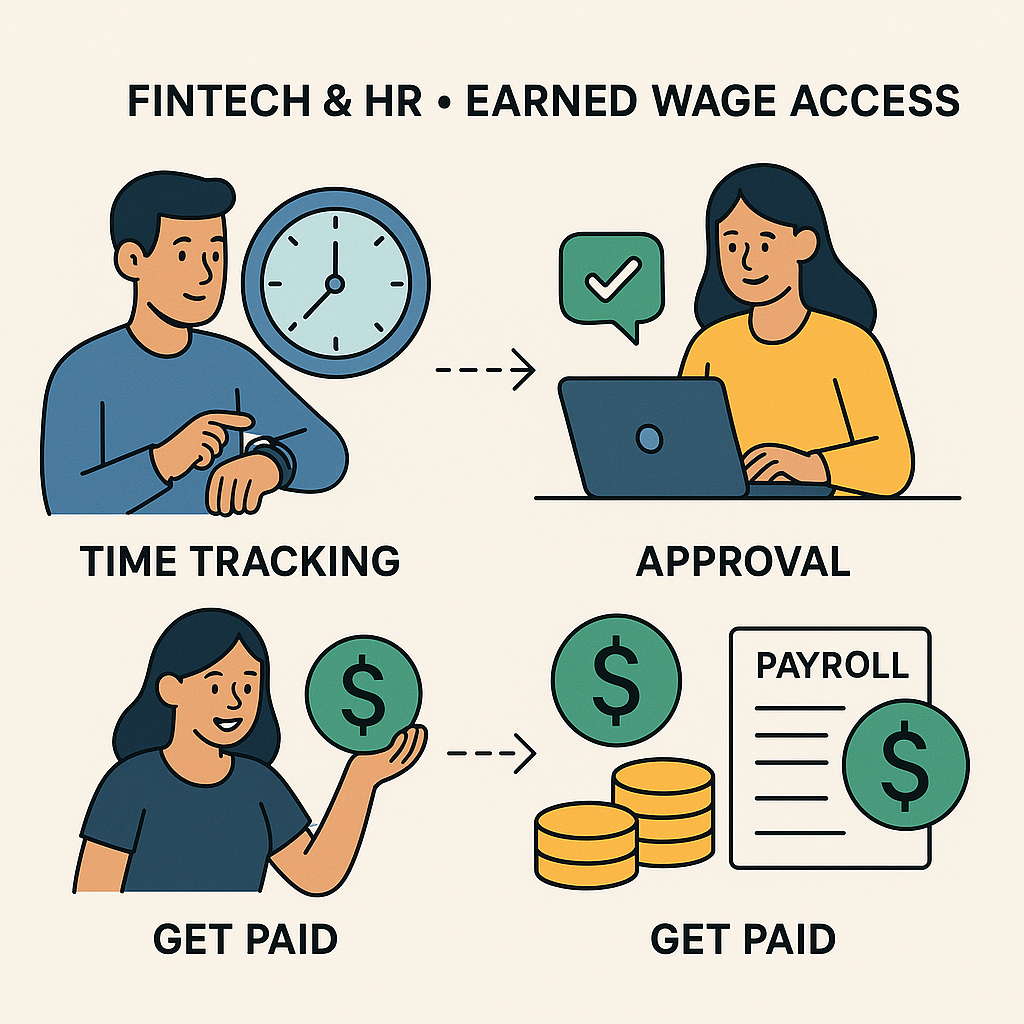
Step 1: Go to Work and Timekeeping
Data can come from the customer's work schedule, NK ERP, or the timekeeping function directly in the Earned Wage Access app.
Step 2: Work Approval
Customers have a portal to view employees, edit hours/shifts, and approve or reject work. NK supervisors can also approve according to assigned rights.
Step 3: Recalculate Available Amount
The server calculates based on approved work, each customer's rate, amount received, reserved amount, and limits. Recalculation occurs on the server, not just based on numbers stored on the phone.
Step 4: Employee Initiates Request
No manual approval is needed for each request if the customer has enabled auto-withdrawal and all safety conditions are met. Employees select the amount and confirm the commitment.
Step 5: Transfer Money
In the current automated flow, money is disbursed from NK's dedicated disbursement account at VPBank through a disbursement service, into a VPBank account in the employee's name. The account must be name-verified and matched with the user before use; after verification, the account number is locked to prevent switching to another account.
Step 6: Reconciliation
The system periodically reconciles pending amounts and reconciles VPBank statements T+1. Unclear statuses are held pending, not automatically assumed successful or failed.
Step 7: Payroll Settlement
The total successfully disbursed transactions are included in the payroll period reconciliation. Unreceived portions and other salary items are processed according to the actual payroll.
10. Why Might the End-of-Period Salary Differ from the Employee's Self-Calculation?
Final Work Differs from Estimated Work
Missing check-in/out, edited shifts, customer hour adjustments, or pending approval work can change the final workdays.
Daily Rate on Earned Wage Access Does Not Represent All Income
The daily rate used to calculate limits may not include all overtime, allowances, bonuses, or end-of-period settlement items.
There Are Insurance and Tax Deductions
These obligations are processed according to actual payroll. Earned Wage Access should not replace the official payroll.
Multiple Workplaces
An employee may work at multiple customers. Work and money at each place are separated to avoid incorrectly using work from one customer to offset another.
Pending Transaction Reconciliation
If the bank has not returned a definite status, the system holds the transaction pending reconciliation. Employees should not resend just because they do not see immediate results.
Other Legitimate Adjustments
Unpaid leave, temporary work suspension, or approved additions/deductions can affect the end-of-period amount. Each item should be reflected on the payslip or the company's explanation channel.
11. How Is It Calculated When Working for Multiple Customers?
(See also: Distinguishing Three Meanings of “Daily Wage”.)
Earned Wage Access supports an employee working at multiple places. Each place has:
customer code;
timekeeping code;
work schedule and approver;
daily rate;
reserved amount configuration;
synchronization and workday finalization time.
The system separates work and money by customer but still links to one employee through identification. This helps:
avoid duplicate work calculations;
know where money arises;
reconcile correctly with the customer and payroll period;
handle when ending assignments at one customer but the employee continues working elsewhere.
Employees need to check the correct workplace when reporting incorrect work, as customers and supervisors may be responsible for approving different parts.
12. What If There Is Work but the Application Still Shows 0 VND?
Common reasons to check:
work has just been recorded but not yet approved;
customer work schedule has not reached the 30-minute synchronization period or has not pressed immediate synchronization;
work in the app exists but is in pending status;
work has just been edited and automatically reverted to pending approval;
workdays belong to today or the future and are blocked by the safety net;
remaining amount is below the minimum transaction level;
daily transaction ceiling reached;
reserved amount is covering the most recent workdays;
customer has not enabled auto-withdrawal;
ID or VPBank account has not been verified;
employment/task status has changed;
data belongs to another customer not correctly matched with the timekeeping code.
Employees should not just ask “why is there no money,” but should provide workdays, customer, shift, and a screenshot of the status for faster processing.
13. What Should Employees Check Before Confirming to Receive Money?

Is the name and receiving account correct?
Is the total approved work correct?
Is the displayed daily rate and customer appropriate?
Is the amount received during the period correct according to history?
What is the reserved amount?
What is the requested and actual received amount?
Are there any displayed fees?
Which payroll period does the transaction belong to?
What does the reconciliation commitment into salary say?
After receiving, is there enough budget for payday?
Employees ticking the commitment should not just be a formal action. The content needs to be understandable: this is a portion of salary estimated from approved work, paid early, and will be deducted from the remaining amount payable in the period.
14. What to Do If Money Has Not Arrived in the Account?
Do Not Immediately Resend
A transaction may be in a pending response status. The system is designed with the principle “unclear then hold pending,” to avoid double disbursement.
Check Transaction History
Distinguish:
processing;
successfully disbursed;
failed;
pending reconciliation;
refunded if applicable.
Check VPBank Account
The standard flow transfers into a verified and locked VPBank account with the user. Do not request account changes while a transaction is processing.
Submit Support Request with Sufficient Data
Provide transaction code, time, amount, and screenshot of the status. Do not publicly send images of ID, full account numbers, or verification codes.
15. Does Earned Wage Access Make Employees “Run Out of Salary” at the End of the Month?
Earned Wage Access does not increase total income. If employees receive early a lot, the amount transferred on payday will naturally be less. This is a change in the timing of receiving money, not an increase in money.
To use responsibly:
only receive when there is a real need;
prioritize essential or urgent expenses;
check the total received during the period before pressing further;
estimate expenses payable on payday;
do not consider the limit as the amount to be fully used;
check the expected remaining salary.
The application should support alerts when the frequency or rate of early receipt increases, but should not use personal financial data beyond the announced purpose.
16. Employee Rights to Check and Provide Feedback
Employees need to be able to:
view work by day;
know if work is approved or pending;
view transaction history and status;
know the reserved amount;
reconcile received amounts with the payslip;
report incorrect work;
report transactions not made by them;
request support when the account is locked or money has not arrived.
The system uses ID to identify, match data, and bank accounts. The collection, use, sharing, and storage of personal data must be conducted according to appropriate purposes, permissions, and approved protection mechanisms. The Personal Data Protection Law No. 91/2025/QH15 and Decree 356/2025/ND-CP both take effect from January 1, 2026; NK needs to maintain notification content and data processing procedures appropriate to the actual roles of the parties.
Frequently Asked Questions
If I Receive 500,000 VND Through Earned Wage Access, How Much Will Be Deducted at the End of the Month?
If the transaction has been successfully disbursed and there are no fees, 500,000 VND is recorded as part of the salary paid early. During settlement, the remaining amount payable is reduced by 500,000 VND to avoid double payment.
Is the Reserved Amount Lost?
No. This is a portion not open for early receipt, not a fee. When workdays and salary are finalized, the valid portion is still processed in the end-of-period salary.
Why Are There 10 Workdays but Only Money for 8 Days?
The customer may be configured to retain the two most recent workdays or apply another reserve amount. Some work may also not be approved. Details for each day need to be checked in the application.
Can I Receive the Entire Amount of Wages Earned?
Not by default. The system also applies reserved amounts, minimum amounts, transaction ceilings, daily ceilings, and other safety conditions.
What Happens If Work Is Edited After Money Has Been Received?
The system records changes, reverts work to pending approval, and creates discrepancies if needed. Cases already disbursed must be handled by NK according to reconciliation procedures, and transaction history should not be erased.
Does Earned Wage Access Charge Employees?
The current operational flow does not charge interest or fees to employees. The official policy at the time of use still needs to be clearly displayed on the application and terms.
Why Must a VPBank Account in the Employee's Name Be Used?
The current automated flow is integrated with VPBank. The system verifies the account holder's name, requires it to match the employee, and locks the account after verification to reduce the risk of incorrect or unauthorized changes.
Is Earned Wage Access a Loan?
In the currently operating technical mechanism, employees only receive a portion of wages from work already done and approved, not for future days; the amount received is reconciled into the salary and there are no interest/fees for employees in the current flow. Official legal conclusions for each model still need to be based on contracts, funding sources, and the actual rights and obligations of the parties.
Is Salary Calculated Together or Separately When Working for Multiple Customers?
Work, rates, and configurations are separated by customer, then linked to the same employee identification to aggregate and reconcile correctly where it arises.
Conclusion
Using Earned Wage Access does not cause employees to lose the money they have received; it is a portion of the salary transferred early. The number on the application is calculated from approved work and daily rate, then deducts the amount received and reserved amount. At the payroll period, the total successfully disbursed is reconciled so the company only pays the remaining portion.
Employees need to distinguish estimated wages, receivable amount, amount received, and remaining salary at the end of the period. Before each transaction, check work, reserved amounts, received history, and spending needs until payday. If there is a discrepancy, feedback should be provided according to workdays, customer, and transaction code for correct source processing.
References
---
Author: Nguyen Minh Tuan — Strategy Specialist, Nhan Kiet Manpower Supply Co., Ltd.
Earned Wage Access Solutions for Businesses: Hotline 0937.022.655 · Email info@nhankiet.vn · Earned Wage Access for Businesses