
Personal Data Mapping and Impact Assessment (DPIA) for Earned Wage Access
Personal Data Mapping in Earned Wage Access: Impact Assessment Checklist and Lifecycle Control
An Earned Wage Access system handles more than just money. To correctly identify individuals and accessible income portions, it may use ID cards, photos, location, devices, work schedules, unit prices, bank accounts, transactions, and payslips. Therefore, data protection must be designed from collection to deletion, not just stopping at the consent screen.
> In short: Businesses need to map what data → from where → for what purpose → who can see → who it is sent to → how long it is stored → how it is deleted. Only then should they assess risks and choose controls.
> Warning: This is a governance framework and reference content, not a complete impact assessment record or legal opinion. Legal roles, processing bases, records, and specific obligations must be determined according to the Personal Data Protection Law, guiding documents, and actual operations.
1. Why does Earned Wage Access need its own data map?
Standard HR systems already have employee data. Earned Wage Access adds two sensitive operational factors: the right to receive wages for work done and payment transactions before the payroll period. An error in linking ID cards, timekeeping codes, or bank accounts can simultaneously cause:
- personal data breaches;
- incorrect income display;
- incorrect available amount calculation;
- money transferred to the wrong person;
- incorrect payroll reconciliation;
- difficulty in resolving complaints and proving responsibility.
A data map helps businesses see the entire chain instead of checking each application individually.
2. Legal framework to update at the time of publication
(Security framework: see Data Security and Privacy in Earned Wage Access Implementation.)
As of the article update date, two official documents need to be included in the review list:
- Personal Data Protection Law No. 91/2025/QH15, issued on 26/06/2025 and effective from 01/01/2026;
- Decree 356/2025/ND-CP, issued on 31/12/2025, effective from 01/01/2026, detailing some provisions and measures for implementing the Law.
Businesses must also review regulations related to labor, electronic transactions, cybersecurity, banking–payments, taxes, accounting, and storage depending on the model.
Do not copy records from another project: the purpose, data, recipients, and infrastructure of Earned Wage Access may differ.
3. Map of 10 data groups in Earned Wage Access
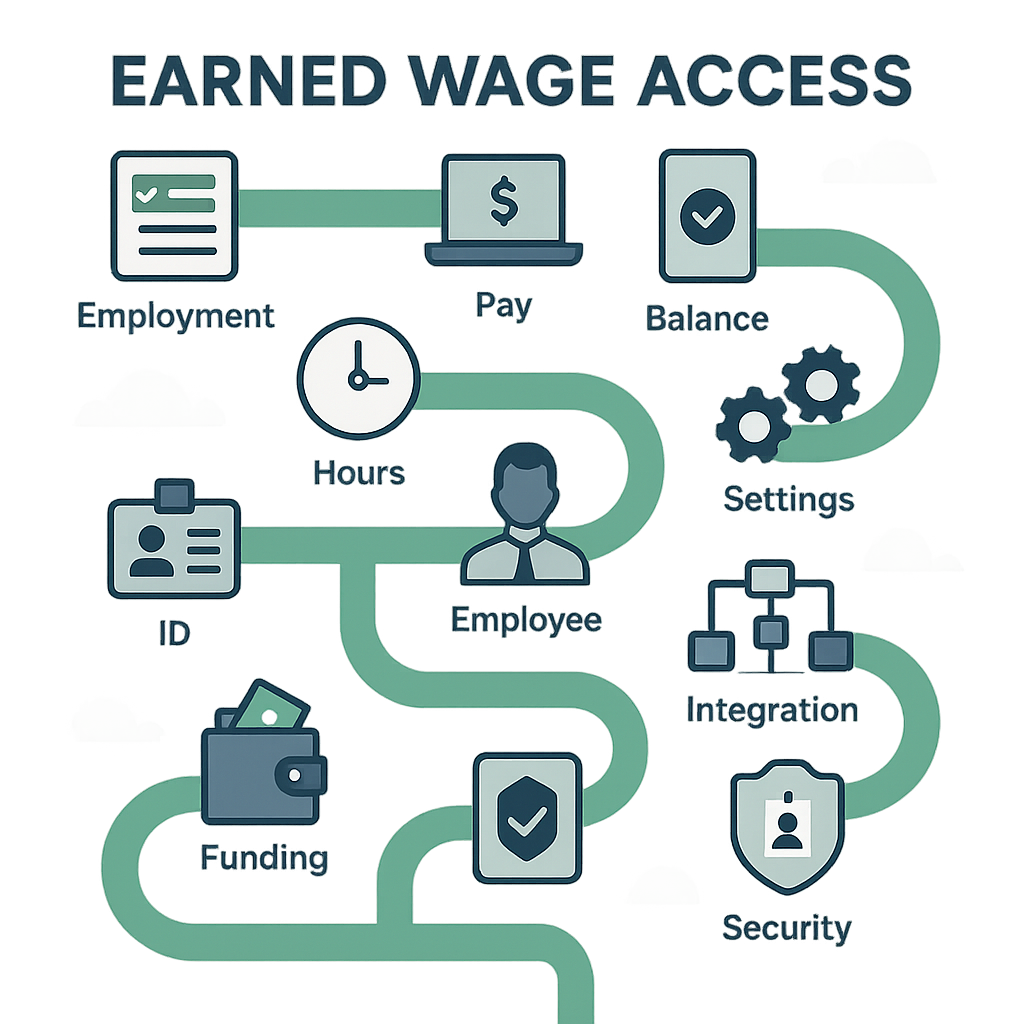
| Group | Data Examples | Possible Business Purpose | Prominent Risks |
|---|---|---|---|
| Human Resources | Name, employee ID, work status | Eligibility determination | Inactive users still have access |
| Identification | ID card, document photos, OCR results | Correct person matching | Impersonation, document leaks |
| Contact | Phone, email | Login, notifications, support | Account takeover, spam |
| Device | Device ID, login session | Prevent proxy use, security | Excessive tracking, incorrect lock |
| Timekeeping | In/out times, shifts, work codes | Confirm work done | Incorrect work, wrong source |
| Location/Image | GPS, selfie, stamped photos | Verify timekeeping | Privacy invasion, location leaks |
| Income | Unit price, workdays, reserve, available amount | Calculate entitlement | Salary leaks, calculation errors |
| Banking | Account number, account holder name | Verify and disburse funds | Incorrect transfers, fraud |
| Transactions | Amount, time, status, transaction code | Disbursement, reconciliation | Duplicate transactions, financial situation inference |
| Payroll/Complaints | Payslips, deductions, tickets | Reconciliation and support | Information leaks, incorrect periods |
The actual list must be derived from databases, APIs, logs, import/export files, and subcontractors; not just based on user interfaces.
4. Data lifecycle in Earned Wage Access
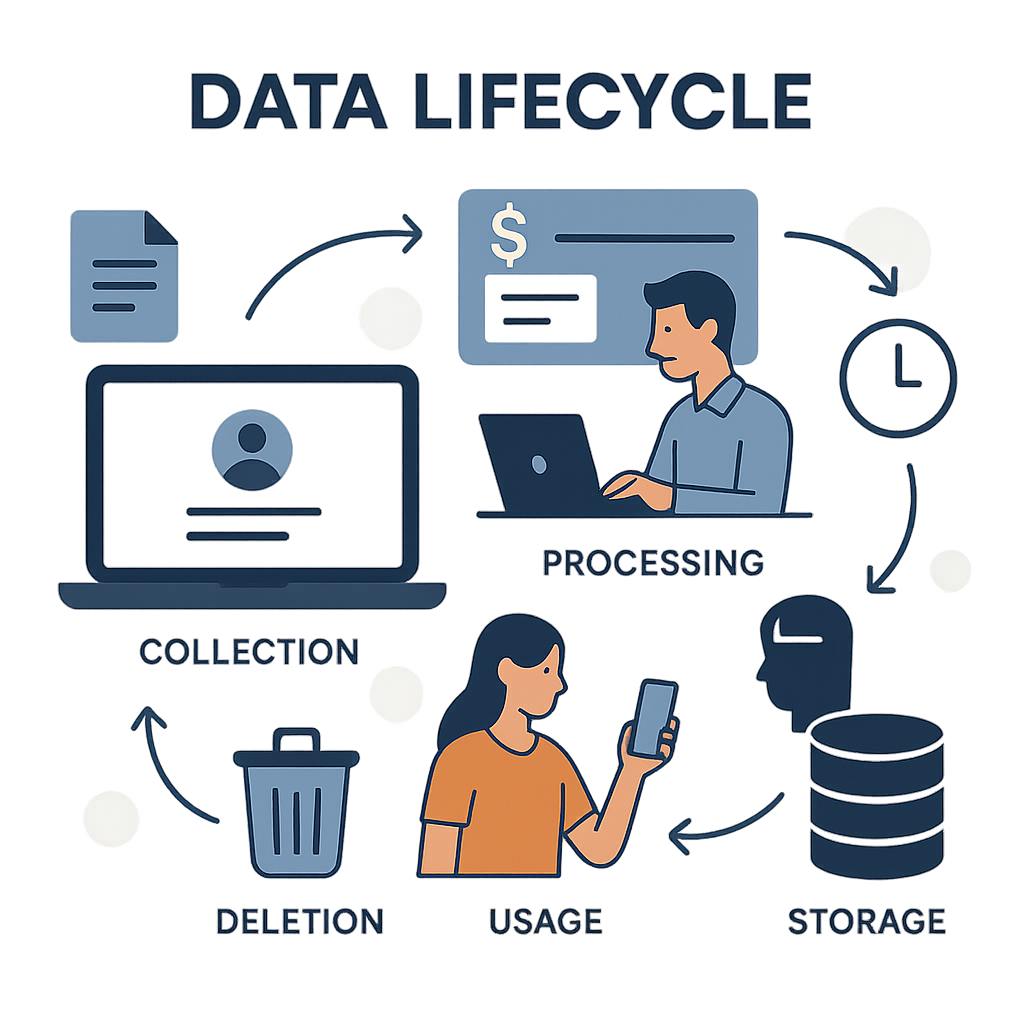
Step 1 — Synchronize HR records
ERP provides a list of employees, customers, entry/exit dates, and management relationships according to the current technical schedule. ID cards serve as identification keys; company_id and timekeeping codes link individuals to customers.
Necessary controls: field list, authoritative source, duplicate record handling, inactive user lock, and synchronization log.
Step 2 — Identification and device linking
Employees provide ID card photos; the system uses OCR to match information and applies the one-person–one-device principle in the current flow.
Clarifications needed: purpose of each photo, storage location, duration, viewers, device change process, and OCR error handling.
Step 3 — Record timekeeping
Data can come from apps, customer Google Sheets, or ERP. Apps support selfie/GPS, geofence, QR, beacon, WiFi, and clock-in/out.
Minimization principle: customers should only enable necessary methods and data fields for the identified timekeeping goal.
Step 4 — Approve and adjust work
Customers or supervisors have the right to approve/reject. Adjusting approved work returns the record to pending approval and saves the before/after history.
Controls: customer-based permissions, immutable logs, change alerts, and periodic permission reviews.
Step 5 — Calculate available amount
The server calculates from approved work, unit price, received amount, and reserve; applying limits and rounding.
Transparency needed: which data affects decisions, reasons for zero/changes, complaint channels, and rights to amend source data.
Step 6 — Verify receiving account
Standard flow checks VPBank account name, matches names, and locks account numbers after verification.
Controls: mask account numbers on screens/logs, rights to unlock/change accounts, store verification evidence, and manage query providers.
Step 7 — Create and process transactions
The system records the amount, transaction code, time, feedback, and status. The disbursement service keeps the bank lock separate from the business application.
Controls: anti-duplication codes, restrict logs containing full data, lock/secret permissions, and hold when status is unclear.
Step 8 — Reconciliation and payroll
T+1 statements, transaction logs, and payroll data are reconciled. Covered workdays are marked to prevent accumulation.
Controls: bridge reports, payslip viewing rights, export limits, and discrepancy handling processes.
Step 9 — Support, complaints, and incidents
Tickets may gather additional photos, accounts, work data, and transactions.
Risks: support staff requesting ID card/statements via unapproved channels or copying data to personal devices.
Step 10 — Retention, deletion, and termination
Each data group may have different retention needs. Businesses must schedule retention, locking/deletion/anonymization mechanisms, exceptions due to legal obligations, and completion evidence.
5. Who can participate in data processing?
Do not label roles solely by company name. Create a table for each activity:
| Activity | Possible Participants | Questions to Answer |
|---|---|---|
| HR Management | Nhan Kiet/customers | Who decides the purpose and data fields? |
| Timekeeping | Employees, customers, NK, platform | Who records, approves, adjusts? |
| Storage/Synchronization | Infrastructure/software providers | Where is the data, which subcontractors access it? |
| Account Name Verification | NK, VPBank, query infrastructure | What data is sent and retained? |
| Disbursement | NK, VPBank | Who decides the order and who executes it? |
| Payroll | NK/payroll unit | What data is input and who approves? |
| Support | NK/customers/service providers | What do staff see and through which channels? |
Legal must determine corresponding legal roles for each purpose; an organization may have different roles in different activities.
6. 30-question impact assessment checklist
(See also: Internal Audit Checklist for Earned Wage Access.)
A. Purpose and Necessity
- What is the business purpose and benefit for employees?
- What purpose does each data field serve?
- Can the goal be achieved with less data?
- Are there less intrusive feature options?
- Is data used for new purposes like advertising/scoring?
B. Source, Quality, and Transparency
- Where does the data come from and which source is the source of truth?
- Is the update frequency appropriate?
- What are employees informed about?
- How can they view and request corrections for incorrect data?
- Can it be explained why the available amount changes?
C. Data Sharing and Transfer
- Which parties receive each data group?
- Are there any subcontractors?
- Which APIs/files transmit data externally?
- Is there cross-border data processing/transfer?
- How do contracts stipulate purpose, security, deletion, and incidents?
D. Access and Security
- Who can view ID cards, GPS, salaries, and bank accounts?
- Are rights limited by customer/location?
- Is there MFA or strong controls for privileged accounts?
- Do logs contain full or secret data?
- Are bank locks separated, rotated, and revoked?
E. Risks to Employees
- Can incorrect data cause loss of entitlement or incorrect transfers?
- Can location/photos be used for surveillance beyond purpose?
- Is there a risk of discrimination or forced use?
- What are the consequences of account takeover?
- Is the complaint process accessible and non-retaliatory?
F. Lifecycle and Response
- How long is each data group retained and why?
- When employees leave, which rights are immediately revoked?
- How are backups and exports deleted?
- Who leads when there is a data breach?
- What evidence has tested controls?
Each question should have: owner, answer, evidence, risk level, measure, residual risk, approver, and review date.
7. Sample risk-control matrix
| Risk | Situation | Suggested Control | Evidence |
|---|---|---|---|
| Identity Confusion | Incorrect ID/timekeeping code linkage | Key matching, duplicate checks, correction process | Synchronization log, ticket |
| Proxy Timekeeping | Using another's device/account | One-person–one-device, authentication, alerts | Device log |
| Excessive Tracking | Continuous GPS collection | Collect only at necessary events, configure purpose | Configuration, notification |
| Salary Leak | Manager views beyond scope | Customer-based permissions, data masking | Rights matrix, log |
| Incorrect Account | Transfer to another person | Name verification, account lock | Verification evidence |
| Duplicate Disbursement | Timeout then resend | Stable codes, locking, fail-closed | Transaction log |
| Data Leak via Support | Sending ID via personal chat | Secure channel, guidance, appropriate DLP | Ticket, training |
| Excessive Retention | Old data not deleted | Retention schedule, deletion job, periodic checks | Deletion report |
8. Minimization principles for each timekeeping method
(See also: 6 Timekeeping Methods in Earned Wage Access and Why Not to Proxy Timekeeping or Use Fake GPS.)
Selfie + GPS
Collect only at clock-in if sufficient for the purpose; avoid continuous location tracking. Clearly determine if original photos need to be retained and for how long.
Geofence
Prioritize "in/out zone" results when precise coordinate history is unnecessary. The radius must match the actual premises.
Dynamic QR
Manage code lifecycle, shift windows, and capture/share risks. Avoid embedding personal data directly in QR.
Beacon and WiFi
Limit device/network data collection. Clearly notify purpose and handle when devices are unsupported.
Clock-in/out
Simpler regarding location but must still protect work schedules, shifts, and edit history.
There is no best method for all customers. Choose the least data-intensive method that still addresses actual timekeeping risks.
9. Suggested minimum permissions
| Role | Should See | Should Not See by Default |
|---|---|---|
| Employee | Their own data and transactions | Others' data |
| Supervisor | Assigned group work | Full ID, accounts, salaries beyond need |
| Customer | Work/employees within contract scope | Other customers, bank locks |
| Payroll | Data needed for reconciliation | GPS/photos if unnecessary |
| Customer Support | Fields needed for ticket handling | Entire records by default |
| Superadmin | Controlled operational rights | Unlimited access without logs |
| Auditor | Evidence/read within scope | Rights to edit or issue commands |
Privileged rights should be time-limited when appropriate, with approval, logs, and periodic reviews.
10. Data breach response plan
A playbook should minimally include:
- detection and timestamping;
- isolation while preserving evidence;
- identifying affected systems, data, and individuals;
- assessing impact on employees;
- determining obligations and deadlines per regulations/contracts;
- coordination among legal, IT security, HR, banks, and customers;
- consistent communication, avoiding speculation;
- safe recovery;
- root cause analysis;
- tracking corrective actions until closure.
Do not send full personal data in incident response chat groups. Use case codes and permissioned evidence repositories.
11. Evidence set to maintain
- system and data flow diagrams;
- data processing inventory;
- list of recipients/subcontractors;
- notifications and evidence of rights execution;
- rights matrix and review results;
- retention/deletion configurations;
- contracts/data appendices;
- impact assessment reports and residual risk approvals;
- vulnerability, testing, and remediation reports;
- incident logs, drills, and RCA;
- training evidence;
- termination/deletion records.
Having "documents" is not enough; audits must sample to prove controls are operational.
12. Frequently Asked Questions
Is GPS and selfie collection mandatory for Earned Wage Access?
No. It depends on the timekeeping method and actual risks. If work data comes from other reliable sources, these two data types may not be necessary for Earned Wage Access.
Does consent solve all data issues?
No. Businesses must also determine purpose, necessity, roles, security, retention period, subject rights, and other obligations under applicable regulations.
Should Customer Support see full ID cards and statements?
Not by default. Only provide necessary data fields for the situation, mask appropriate information, and control special access when full viewing is required.
Does account deletion mean all data is deleted?
Not necessarily. Data may reside in business systems, logs, exports, and backups; some data must be retained due to obligations. Policies must clearly describe each layer.
Is a one-time impact assessment before go-live sufficient?
No. It needs to be reviewed when adding data types, purposes, timekeeping methods, banks, subcontractors, data transfers, algorithms, or significant incidents.
Official Legal Sources
- Personal Data Protection Law No. 91/2025/QH15, effective 01/01/2026.
- Decree No. 356/2025/ND-CP, detailing some provisions and measures for implementing the Law, effective 01/01/2026.
---
Author: Nguyen Minh Khang — Strategy Team Specialist, Nhan Kiet Manpower Supply Co., Ltd.
Earned Wage Access Solutions for Businesses: Hotline 0937.022.655 · Email info@nhankiet.vn · Earned Wage Access for Businesses